

Lost minutes are lost money, and for a small law firm, they add up to thousands walking out the door each month. Choosing the right time tracking software for lawyers is one of the most direct ways to plug that leak and get paid for all the work you're already doing.
You're Already Earning the Money. Why Aren't You Keeping It?
Be honest: are you capturing every single billable moment? A ten-minute call here, a fifteen-minute document review there... piecing your day together from memory is a guaranteed way to leave money on the table.
Relying on scattered notes is more than inefficient; it's a direct financial drain. You are almost certain to miss billable work. This is where modern software flips the script, turning an error-prone chore into an automated, precise process.
The Real Price of a Bad Memory
The financial hit from uncaptured time is staggering. Industry data consistently shows that attorneys lose 20-30% of their billable hours to forgotten tasks—the quick emails, short calls, and brief research checks.
Think about what that means for your firm. For a solo attorney billing at the U.S. average of $349 per hour, that could mean leaving $2,000 or more on the table every single week. You can see a full breakdown of this lost revenue on Flowace.
Automating your time capture ensures you're compensated for the full value of the work you're already doing. Plus, more accurate billing builds client trust and strengthens your bottom line.
Automating time capture shifts your focus from reconstructing the past to building a more profitable future. The goal is to make billing an accurate reflection of your work, not an administrative burden.
It All Starts Here: Connecting Time to Operations
Great time tracking is the bedrock of efficient law firm operations. When your time entries are accurate and automatically linked to the right client, you eliminate downstream chaos—no more correcting invoices or wasting admin hours reconciling bad data. It's the first step in building systems that let your small firm operate with the efficiency of a much larger practice. Explore our complete guide to law firm operations systems that scale to see the bigger picture.
Getting this right creates a ripple effect across your entire firm:
- Better Cash Flow: Accurate invoices get sent out faster, which means you get paid sooner.
- Less Administrative Drag: Your team spends far less time chasing down timesheets and fixing errors.
- Smarter Decisions: You gain clear insight into which clients and matters actually drive your firm's profitability.
The mission is simple: reclaim your time, get paid for it, and build a more sustainable practice.
Essential Features of Legal Time Tracking Software
Let's be blunt: a generic business app won't cut it for a law firm. You deal with matters, conflicts, and trust accounts—concepts most software has never heard of. Using the wrong tool creates more admin work, not less, and could even get you into compliance trouble.
The right time tracking software for lawyers is a core piece of your firm's operational engine. Choosing one starts with knowing what features are non-negotiable. These aren't nice-to-haves; they are essentials that protect your revenue and your license.
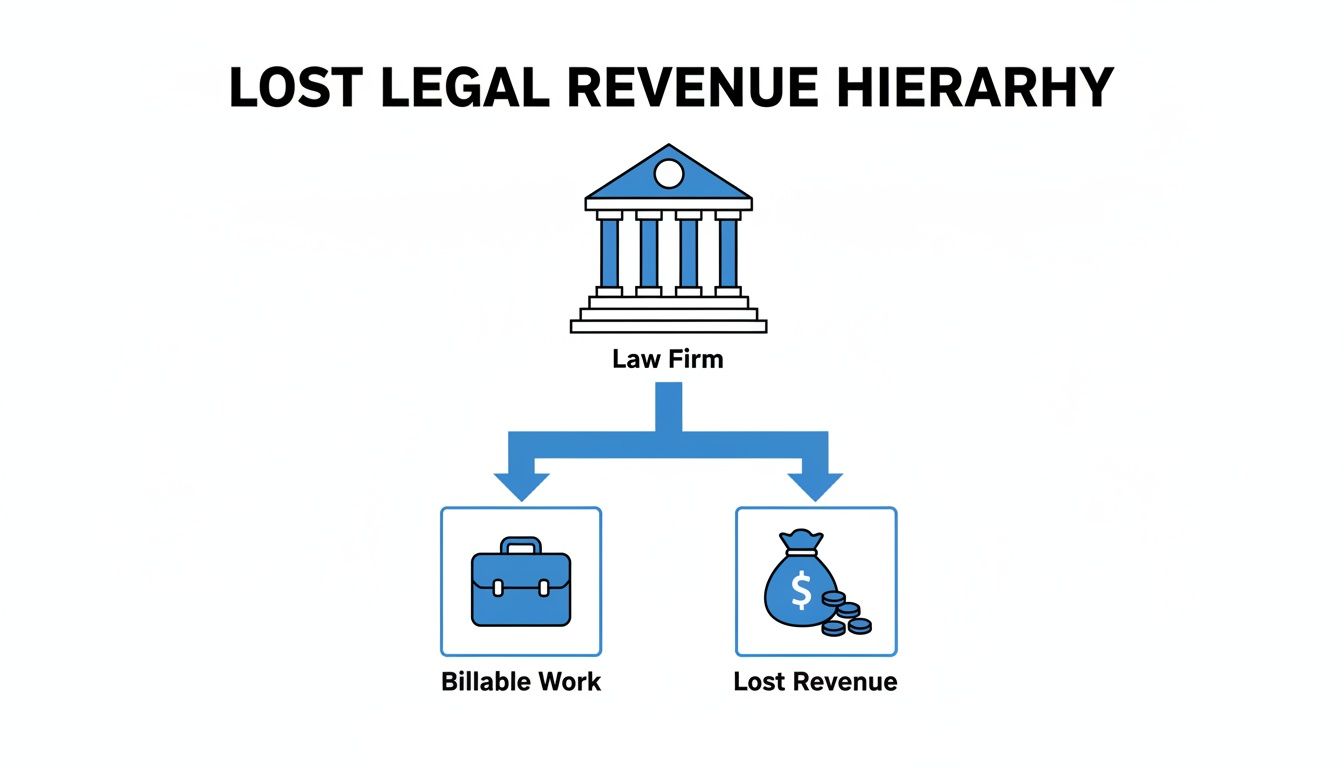
This is the problem we're solving. Those uncaptured minutes are lost dollars, and the right features are designed to plug that leak for good.
Matter-Specific Time Entries
This sounds basic, but it's the foundation of everything. Every single time entry must be linked directly to a specific client and matter. Many generic tools can't handle this, making them a dealbreaker for legal use.
Without this link, generating an accurate invoice is a manual nightmare. This feature ensures that when you bill "Smith v. Jones," only the time spent on that case shows up, cutting down on errors and client disputes.
Automated and Passive Time Capture
Your brainpower is best spent practicing law, not reconstructing your day in six-minute increments. The best legal time tracking software includes timers you can start and stop with a single click. Even better are tools with passive time capture that automatically record your activity.
This feature is a game-changer. It logs the time you spend in different documents and emails, then presents a private timeline for your review. You just assign the captured time to the correct matter. This catches all those five-minute tasks that are almost always forgotten.
Robust Billing and Invoicing Integration
Tracking time is only half the battle; turning those entries into paid invoices is the real goal. Your software must seamlessly convert approved time entries into professional invoices without any manual data re-entry.
A great time tracking tool doesn't just record hours; it shortens the distance between the work you do and the money in your bank account.
Key integration capabilities include:
- Practice Management Software: Direct syncs with platforms like Clio or PracticePanther are essential.
- Accounting Software: Connections to tools like QuickBooks keep your firm's financials accurate without double entry.
- Payment Processing: The ability to add a "pay now" link right on the invoice makes it ridiculously easy for clients to pay you.
Trust Accounting Compliance
Handling client funds improperly is one of the fastest ways to attract the attention of the state bar. Your chosen software must have features built specifically for trust accounting compliance. Generic software has zero concept of IOLTA accounts, making it a liability.
This means it can apply payments correctly, track balances for each client, and generate the specific reports needed for bar association audits. This isn't just a feature; it's a critical safeguard for your firm.
Checklist of Must-Have Lawyer Time Tracking Features
| Feature | Why It's Critical for Lawyers | What to Look For |
|---|---|---|
| Matter-Specific Time Entries | Ensures accurate billing and profitability analysis. Prevents billing disputes and manual sorting of time logs. | The ability to assign every time entry to both a client and a specific matter. |
| Automated Time Capture | Captures billable time that is often forgotten (e.g., short calls, emails). Reduces the administrative burden on lawyers. | One-click timers and passive background activity tracking that creates a timeline for your review. |
| Billing & Invoicing Integration | Eliminates manual data entry and speeds up the billing cycle, improving cash flow. | Direct sync with your practice management (e.g., Clio) and accounting (e.g., QuickBooks) software. |
| Trust Accounting Compliance | Protects your firm from ethical violations and disciplinary action. Essential for handling client funds correctly. | Dedicated features for managing IOLTA/trust accounts, tracking balances per client, and generating compliance reports. |
| Mobile & Offline Tracking | Allows for time capture from anywhere—court, client meetings, or during a commute. Ensures no billable moment is lost. | A fully functional mobile app (iOS and Android) with offline capabilities that sync when you're back online. |
| Detailed Reporting | Provides insights into firm productivity, matter profitability, and client value. Informs strategic business decisions. | Customizable reports on billable vs. non-billable hours, attorney performance, and revenue by matter or client. |
Having this checklist in hand during software demos will keep you focused on the features that actually drive your firm's profitability.
The True Cost of Inefficient Time Tracking
The problem with bad time tracking isn't just the minutes you forget to log. It's the massive administrative burden it creates, silently killing your firm's profitability and holding your practice back day after day.
Think about the end-of-week scramble. Every minute your team spends digging through emails and call logs to piece together timesheets is a minute they aren't working on a client's case. This administrative drag is a core problem that modern law firm operations are designed to solve.
The Hidden Drain on Your Billable Capacity
This wasted effort is a hard cap on your firm's growth potential. Staggering data shows that attorneys spend 48% of time on non-billable admin tasks. Let that sink in. Almost half the day is gone before they even touch substantive legal work.
When you rely on manual spreadsheets, you are essentially paying your highly skilled attorneys to perform low-value data entry. It’s a frustrating and wildly inefficient use of their expertise. This is where automation becomes a powerful strategy for scaling your firm's capacity.
Quantifying the Productivity Gap
The numbers paint a stark picture. Data from Clio's Legal Trends Report reveals the average lawyer bills only 2.6 hours out of an 8-hour workday—just 33% of their time. This highlights the enormous potential that modern time tracking software can unlock, as you can see in this detailed report on lawyer statistics.
This productivity gap exists because of constant interruptions and the friction of manual timesheets. The result is far fewer annual billable hours per attorney than your firm is truly capable of achieving.
The real cost isn't just the unbilled hour; it's the second hour lost to the administrative churn required to chase it down. Good software gives you back both.
How Manual Errors Create Even More Work
Beyond the lost time, manual tracking is a breeding ground for errors. A simple typo on a timesheet can spark an inaccurate invoice, forcing your team into a painful, time-consuming cycle of correction and follow-up.
This administrative churn is a significant time sink for everyone. Automating time entries and linking them directly to your billing system stops these errors before they happen. You can see how connecting your CRM with accounting software creates a much more robust and error-proof workflow.
How to Choose the Right Software for Your Firm
With so many legal tech options, picking the right time tracking software for lawyers can feel overwhelming. The secret isn't buying the tool with the longest feature list; it's finding the one your team will actually use every single day.
A simple tool that gets 100% adoption is infinitely more valuable than a complex system that just collects digital dust.
Standalone Tracker vs. Integrated System
Your first big decision is choosing between a dedicated time tracking tool and a full practice management system. The right call depends on your firm’s current tech setup.
- Standalone Time Trackers: These tools do one thing exceptionally well. They're often easier to implement and more affordable, making them a great choice if you just need to plug the revenue leak from uncaptured time.
- Integrated Practice Management Systems: These all-in-one platforms like Clio or MyCase bundle time tracking with case management and client communication. This is the path to take if you’re looking to overhaul your entire workflow.
If you're leaning toward an all-in-one, our detailed comparison of popular law practice management platforms can help you sort through the options.
Do the Back-of-the-Napkin ROI Math
Before you get lost in software demos, do a quick return on investment calculation. It's a simple gut check to see if the cost makes sense.
Let’s say a tool costs $40 per month. If your average billable hour is $300, you only need to capture an extra eight minutes of time each month to break even.
If your new software helps you capture just one extra billable hour per month that you were previously missing, it has likely paid for itself several times over. Anything beyond that is pure profit.
Think about all those five-minute calls you currently let slide because they're a hassle to record. Capturing just a few of those each week generates a massive return on a modest investment.
Look Beyond the Feature List
For a small firm, practical, day-to-day usability matters more than a long list of features. As you evaluate your options, ask these gut-check questions:
- How steep is the learning curve? Look for an interface that feels intuitive from the start. If it takes weeks to get your team up to speed, you'll lose momentum and money.
- What does implementation actually look like? Will you get real support, or are you just handed a link to a help center? A smooth onboarding is critical for user adoption.
- Will it grow with us? The software that works for you as a solo should still work when you hire an associate. Avoid getting locked into a system that will box you in.
The global time tracking software market is projected to skyrocket to $149.92 billion by 2034, fueled by firms like yours trying to get more efficient. Read more about these market growth projections. This growth means more choices, but it also makes it essential to find a solution that fits your specific needs.
Getting Your Team Onboard with New Software
The best software in the world is useless if your team doesn't use it. Rolling out a new tool for time tracking is a big shift in your firm’s daily habits. Success requires a clear plan that gets everyone bought in from day one.
This isn’t about just sending a login and hoping for the best. For any new system to stick, your team needs to understand the why behind it—not just the how.
Address the Elephant in the Room: Micromanagement
Let’s be direct: some team members will immediately see a new time tracking system as surveillance. Your first job is to frame the software for what it is—a tool for fairness and profitability, not a big brother tactic.
When you announce the change, lead with the benefits that directly affect them:
- Less Admin Work: "This tool eliminates the end-of-week scramble to reconstruct your timesheets. No more digging through emails and call logs."
- Fair Compensation: "This makes sure we capture every minute of hard work, which is what keeps us profitable and allows us to grow."
- Client Transparency: "It lets us give clients incredibly accurate invoices, which reduces billing disputes and builds trust."
By focusing on reducing their administrative pain, you shift the narrative from oversight to operational excellence.
Start Small with a Phased Rollout
Don't switch everyone over at once. A phased rollout lets you work out the kinks on a small scale. Start with one or two tech-savvy team members or just track your own time on a few matters for a week.
This test phase lets you build a simple, practical training guide based on real-world use. Create a one-page cheat sheet with screenshots of the three to five most common tasks. This is far more effective than a lengthy manual nobody will read.
A successful software rollout isn't a single event; it's a process. By starting small and gathering feedback, you turn implementation from a mandate into a collaborative effort.
Establish Clear Billing Hygiene Policies
Once you're ready for a firm-wide launch, set clear, non-negotiable standards for how time is recorded. Ambiguity is the enemy of adoption.
Consider these ground rules:
- No More End-of-Week Entries: All time must be entered by the end of the day it was worked. This is the single most important habit to enforce.
- Use Detailed Descriptions: Entries like "work on case" are no longer acceptable. Require two sentences that clearly state the task and its purpose.
- Timers are Mandatory for Focused Work: For any task lasting longer than 15 minutes, the expectation is to use a running timer, not a manual entry.
Implementing these policies is a core part of improving your firm's processes. For more insights, you can learn more about what case management involves in our guide.
Start Capturing Every Billable Minute Today
Precise time tracking isn't a "nice-to-have" for a profitable law firm—it's the engine. This is about building efficient law firm operations that let your practice scale without chaos. With attorneys losing nearly 48% of their time to non-billable admin tasks, every minute you claw back goes straight to your bottom line.
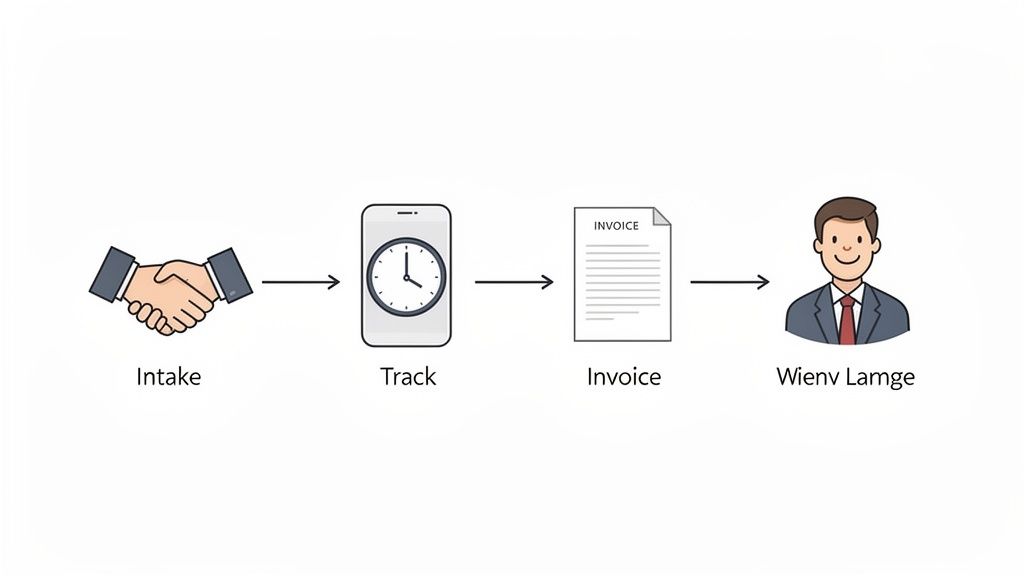
The path to an optimized workflow starts the second a client says "yes." When you streamline your client intake, you set the stage for accurate tracking from day one, cutting out the administrative drag that kills profitability. The key is connecting that first handshake to your backend systems so nothing gets lost.
From First Contact to Final Invoice
Picture this: a new client signs their retainer, pays, and fills out their intake form in one smooth sequence. The moment they submit, a new matter is automatically created in your system, ready for time tracking. This isn't science fiction; it's what modern, connected software does.
This unified approach guarantees that when you start a timer, it's already tied to the right client and matter. No manual setup, no hunting for client codes, and no time entries floating in limbo.
The most profitable law firms don't just track time well; they build an operational chain where intake, case management, and billing are all part of one smooth, automated motion.
Your Actionable Next Steps
Making this happen means shifting away from scattered tools toward an integrated system. Your mission is to shrink the distance between a client hiring you and your first billable entry hitting their file.
Here’s how to get started:
- Map Your Current Process: Draw out every step, from a lead's first call to their first invoice. Circle every spot where someone has to manually enter data or switch programs.
- Identify the Gaps: Where are the bottlenecks? Is it chasing down signatures? Manually creating client folders? These friction points are your first targets for automation.
- Explore Unified Tools: Look for solutions that do the job of three separate apps. The goal is to replace a messy process with one elegant workflow.
This isn’t just about getting new time tracking software for lawyers. It’s about building a foundation that ensures you capture every single billable minute you earn. It’s time to explore how unified workflows replace scattered tools and free you up to do what matters: practice law.
Frequently Asked Questions
You've got questions, and that's a good sign. Here are direct, no-fluff answers to the most common concerns we hear from small law firm owners.
How Much Does Legal Time Tracking Software Cost?
You'll see prices from $10-$20 per user per month for a simple tool to $100+ per user for an all-in-one suite. But fixating on the monthly fee is the wrong way to look at it. The real question is about the return on your investment (ROI).
If a $50/month tool helps you capture just one extra billable hour at $350, it has already paid for itself seven times over. Focus on the value—the thousands in revenue it helps you reclaim—not the line item on your credit card statement.
Will My Team Feel Like They Are Being Micromanaged?
This is a valid concern, but it’s one you can solve with clear communication. Frame it from day one: this isn't a surveillance tool; it’s a profitability and fairness tool.
When your team understands the software is there to reduce their administrative headaches and ensure the firm gets paid for all its hard work, resistance melts away.
Emphasize how it eliminates the painful busywork of reconstructing a timesheet at the end of the week. Explain how it leads to more accurate client invoices, which means fewer frustrating billing disputes. When the benefits are clear, the "micromanagement" concern disappears.
Can I Integrate This Software with My Other Tools?
Yes, and you absolutely should. Strong integration is a non-negotiable feature for any modern law firm. The best time tracking software for lawyers is designed to be a team player.
Look for robust, native integrations with the platforms you already rely on:
- Practice Management Systems: Direct connections to software like Clio or PracticePanther are critical for seamless invoicing.
- Accounting Software: A sync with QuickBooks or Xero eliminates duplicate data entry and keeps your financials aligned.
- CRM and Intake Platforms: Connecting your time tracker to your intake system ensures that a new client's matter is ready for billing from moment one.
This connectivity is the foundation of efficient law firm operations. It wipes out the risk of costly human errors and frees up hours of administrative time that you can now dedicate to billable work.