

Losing a great lead because your process is slow is a huge, preventable waste of money. When you're stuck playing phone tag and manually typing client details into three different systems, you're not just frustrated—you're actively losing clients who were ready to hire you.
The right client intake software for law firms fixes this by getting clients signed, paid, and onboarded in minutes, not days.
Stop Losing Leads to Slow, Clunky Onboarding
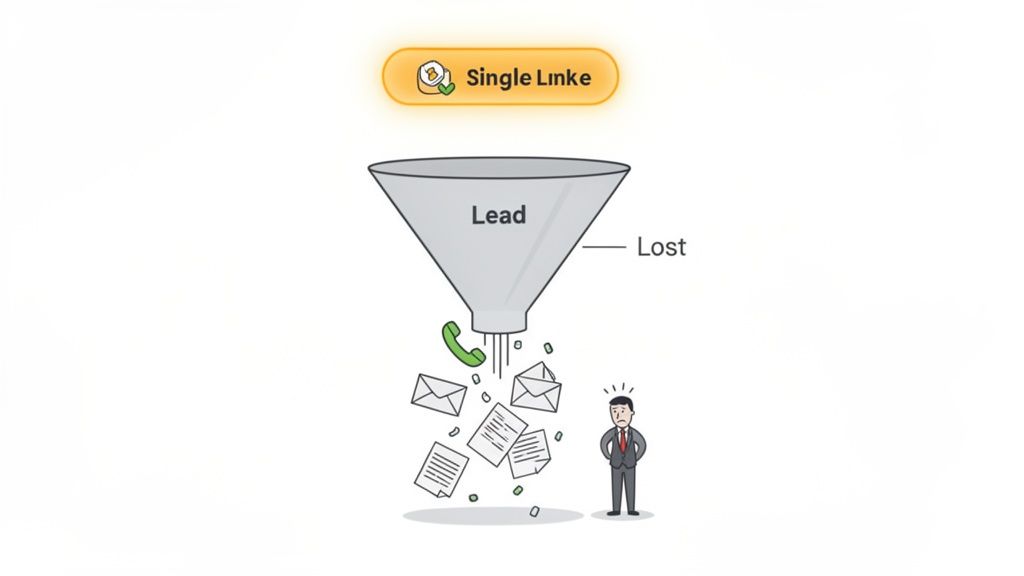
A slow or complicated intake process is the #1 reason promising leads vanish. Think about it: when a potential client decides to hire you, their motivation is at its peak. Every extra step—a separate email for the retainer, another for payment, a third for a questionnaire—creates friction and gives them a reason to call the next firm on their list.
This isn't just a theory. Research shows that 74% of clients expect a call back within 24 hours, but 42% of law firms take 3+ days to respond. A manual process just can’t keep up. If your intake is fragmented, you're losing good leads before you even have a chance to speak with them.
The Real Cost of a Broken Client Intake Process
Your current workflow, patched together with different apps, creates a minefield of drop-off points. A client might sign the retainer but forget to pay. Or they pay but never send back the intake form. Each gap requires you or your staff to chase them down, wasting non-billable hours.
This is where client intake software for law firms is a game-changer. It replaces your patchwork of forms and payment links with a single, guided path to getting retained. The entire goal is to make hiring your firm so easy that it happens in minutes. The impact of a quick response is massive; improving your speed to lead is one of the most effective ways to boost your conversion rate.
By closing the gap between a client saying "yes" and actually signing and paying, you secure their commitment before they second-guess their decision.
Imagine sending just one link that lets a new client:
- Sign your engagement letter right on their phone.
- Pay their retainer securely online.
- Fill out all their necessary details in a simple form.
This guide will show you exactly what this software does, why it's critical for your firm's growth, and how to pick a solution that turns more inquiries into paying clients.
What is Law Firm Intake Software & How Does It Work?
Think of client intake software less like another tool and more like your firm’s digital front door and onboarding specialist, all in one. It’s not just a fancy contact form. It’s a complete system designed to guide a prospect to becoming a fully retained client, without the usual mess of emails and phone calls.
Your process today probably feels chaotic. A string of calls, back-and-forth emails to chase down a signature, and finally, a separate link for the retainer payment. Every one of those steps is an opportunity for a great lead to get distracted and go cold.
From Multiple Steps to a Single Link
The best intake software takes those scattered steps and compresses them into one smooth experience. Instead of juggling three or four different tools, you send a single, branded link to a potential client.
Through that one link, your prospect does it all:
- They review your engagement letter and add their secure e-signature.
- They submit their credit card or bank information for the retainer.
- They fill out a detailed questionnaire with the information you need.
What used to take days of follow-up can now be done in under 10 minutes.
Automating the Administrative Burden
Once the client clicks "submit," the software’s job isn’t over. Instead of you or your paralegal manually typing that new information into your other systems, the software takes care of it.
Every piece of data—contact details, case notes, payment status—is automatically synced into your practice management software.
The entire process eliminates the two biggest productivity killers for small firms: manual data entry and administrative follow-up. It claws back hours of non-billable time, letting you get back to practicing law.
The legal industry's move toward this system highlights a simple truth: without a solid client intake process, leads vanish. Many firms rely on a patchwork of tools, which inevitably leads to prospects falling through the cracks. You can find more insights on how technology is shaping law firm growth.
By bringing these critical first steps under one roof, the software guarantees every new client gets a smooth, professional onboarding. This not only locks in the client faster but also sets a positive tone for your entire attorney-client relationship.
Core Features Your Intake Software Must Have
Not all intake platforms are created equal. To see a real return, you need features that create a truly unified workflow. Many platforms offer a long list of shiny objects, but a handful of core features deliver 90% of the value for a busy firm like yours.
When evaluating client intake software for law firms, your goal is to find tools that consolidate steps, not just digitize them. A simple online form is a minor improvement; a system that gets you retained in one click is a competitive advantage.
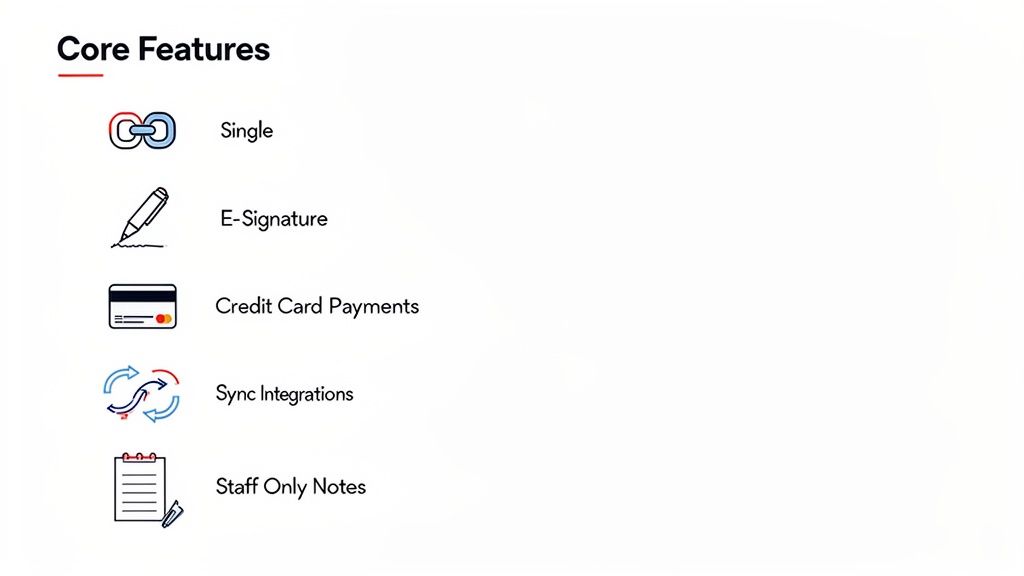
The 'One Link' Workflow
The single most impactful feature is a unified intake link. This isn't just a link to a form; it's an intelligent workflow that guides a prospect through signing your retainer, paying their deposit, and providing their details in one seamless motion.
It eliminates the deadly pause between steps where leads drop off. By collapsing the process, you capture a client's commitment when their intent to hire is at its absolute peak.
Integrated E-Signatures
Chasing down wet signatures is a huge time-waster. Your intake software must have legally-binding e-signatures built directly into the flow.
A potential client should be able to sign your engagement letter on their phone in minutes, without needing to print, scan, or use a separate app like DocuSign. This feature alone can cut the time it takes to get retained from days down to minutes.
Built-In Payment Processing
Getting a signature is only half the battle. If a client has to wait for a separate invoice or navigate to another payment portal, you've introduced another opportunity for delay.
Look for a system that integrates payment processing (like Stripe) directly after the signature step. The client signs, then immediately pays the retainer. This secures the relationship and improves your firm’s cash flow.
The goal is to make hiring you the easiest decision a client makes all day. Every feature should remove a step, an email, or a phone call from the process.
Custom Branding and Professionalism
Your intake process is a client’s first real interaction with your firm. A generic, unbranded form can feel unprofessional and untrustworthy, especially when asking for sensitive information.
Your software should let you customize the intake experience with your firm’s logo and colors. This presents a polished, professional front that builds client confidence from the start.
Essential Workflow Automations
The best intake software doesn't just collect information—it puts that information to work. Once a client completes the intake, the system should automatically trigger the next steps.
This could mean:
- Syncing to your CRM: Instantly creating a new contact and matter in your case management software (like Clio).
- Sending a welcome email: Automatically sending a pre-written email that confirms their submission and outlines what happens next.
- Notifying your team: Alerting your paralegal via email or Slack that a new client has been retained.
These automations eliminate manual data entry and ensure a smooth hand-off. The ability to streamline these first interactions is how you stop losing leads with faster conversions.
Staff-Only Fields for Internal Use
Finally, your intake form needs to serve your team as well as your clients. Look for the ability to include staff-only fields. These are sections on the form visible only to your team, perfect for internal notes.
You can use these fields to document conflict check results, assign a case to an attorney, or add initial thoughts. This keeps critical internal information tied directly to the client's intake record.
Essential vs. Nice-to-Have Intake Software Features
| Feature Category | Must-Have Feature | Why It's Critical | Nice-to-Have Feature |
|---|---|---|---|
| Core Workflow | Unified Intake Link | Combines signing, payment, and data collection to reduce client drop-off. | Multi-Language Support |
| Agreements | Integrated E-Signatures | Eliminates the friction of printing/scanning and closes deals faster. | Advanced Document Automation |
| Payments | Built-In Payment Processing | Secures retainer payment immediately, improving cash flow and commitment. | Payment Plan Options |
| Integrations | CRM/Case Management Sync | Automates data entry, saving hours of manual work and preventing errors. | Zapier/Webhook Integrations |
| Internal Tools | Staff-Only Fields | Keeps internal notes and assignments tied to the client's intake record. | Advanced Reporting/Analytics |
| Client Experience | Custom Branding | Builds trust and presents a professional image from the first interaction. | SMS/Text Message Capabilities |
Ultimately, the right software masters these core functions. Without a solid foundation of unified intake, integrated payments, and smart automation, you’re just buying a more complicated version of the same broken process.
Why One Link Beats a Scattered Process Every Time
The single biggest killer of client conversion is friction. Every extra step, every separate tool, every moment of confusion is an open door for a potential client to walk out and call another firm.
The most effective client intake software for law firms tackles this head-on with a simple "one-link" philosophy.
Think about your current process. You email a Word doc to sign, then a separate link to a payment portal, and maybe a third to an online questionnaire. This scattered approach is slow, confusing, and puts all the work on your client. It’s a guaranteed conversion killer.
The Power of a Unified Workflow
The one-link method flips this script. Instead of juggling three different items, you send one intelligent URL.
This single link guides your prospect through the entire retention process in one seamless, mobile-friendly flow. They can sign the retainer, pay the fee, and fill out their initial details without ever leaving the page. Simple.
This shrinks the time-to-retainer from days to minutes. More importantly, it eliminates the "I'll get to it later" mindset by capturing your client's commitment while their intent to hire is at its peak.
From Friction to Flow: A Practical Example
This isn't just a minor convenience; it's a strategic advantage that hits your bottom line. By knocking down the barriers between signing, paying, and providing information, you create unstoppable momentum.
Here’s what that looks like in the real world:
- No more chasing. Stop the frustrating back-and-forth of follow-up emails trying to hunt down a signed document or paid invoice.
- Fewer errors. All information is captured digitally in one go, preventing typos from manual data entry.
- A better first impression. You deliver a modern, professional experience that shows clients your firm is efficient and easy to work with.
One link. Signatures, payment, intake—done before they can call another firm. This isn't just a slogan; it's a fundamental shift in how you secure new business.
How a Single Link Improves Law Firm Conversions
Moving from a clunky, multi-step process to a single, unified workflow produces measurable results. Small firms that adopt these streamlined tools see a significant jump in their ability to turn leads into paying clients.
Firms using unified intake systems report that lead-to-client conversion can rise by 20-30%. You can explore more data on how modern tools drive law firm success on growlaw.co. This change helps you plug the leaks where valuable leads escape. By consolidating these first steps, you close the gap where most leads are lost and stop losing leads with faster conversions.
Automating Your Workflow Beyond Client Intake
The best client intake software doesn't stop once the retainer is signed. Its real power is what happens next, shifting your firm from reactive to proactive and setting the stage for an impressive client experience.
Top-tier platforms talk to the other tools you rely on, either through direct integrations or connectors like Zapier. This allows you to build a reliable engine that kills the manual hand-off between signing a client and starting their case. When your systems are connected, nothing falls through the cracks.
Building Your Automated Onboarding Machine
Picture this: a client finds you online, clicks your single intake link, signs the retainer, and pays. The moment they hit "submit," a chain reaction begins instantly—without anyone on your team lifting a finger.
- A new matter is automatically created in your case management software, like Clio or MyCase.
- A personalized welcome email shoots out to the client, confirming payment and outlining next steps.
- A task is assigned to your paralegal to run a conflict check and schedule the initial strategy call.
- The client's contact info is added to your firm's newsletter list.
This isn't a dream; it's what modern client intake software for law firms makes possible right now. You can create these "automation recipes" to fit your firm's exact process, ensuring every new client gets the same flawless, professional onboarding.
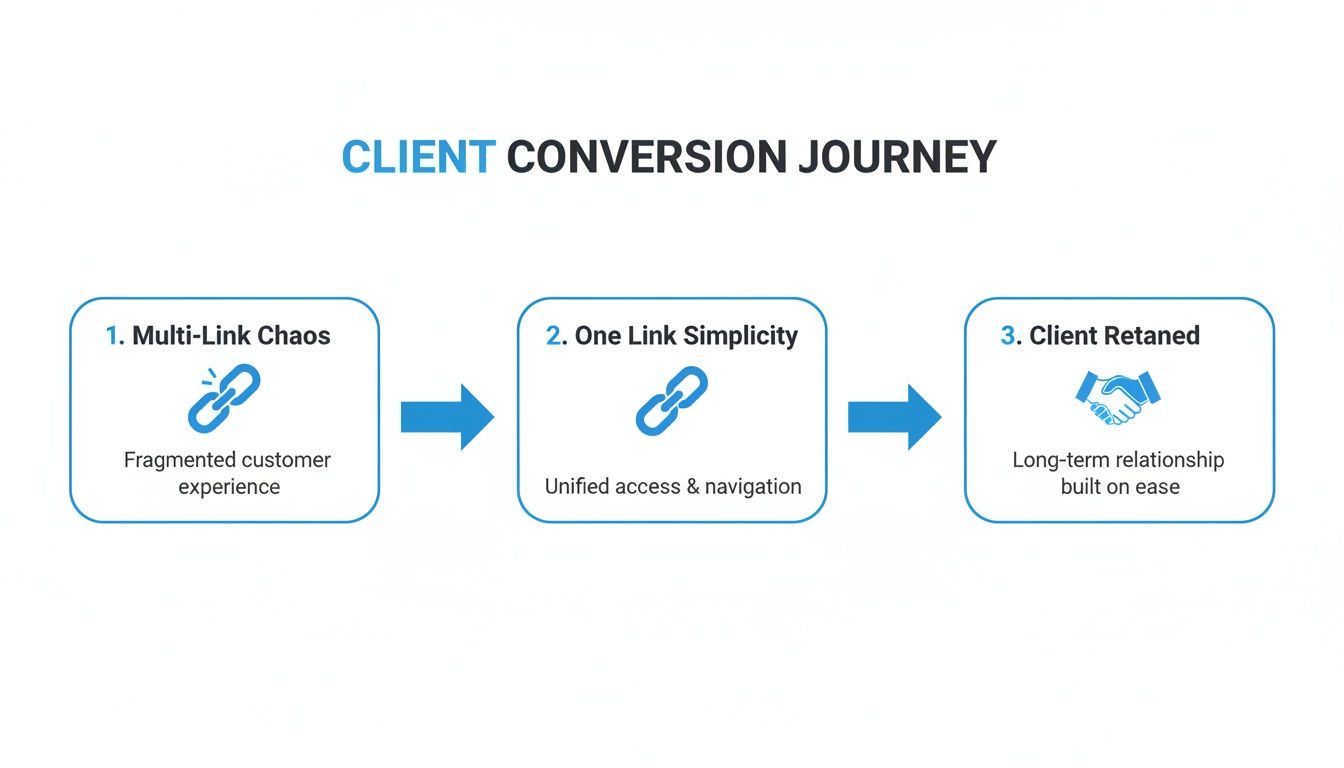
As the visual shows, a single link removes the friction points that cause prospects to drop off, creating a straight line to converting interested people into paying clients.
Practical Automation Recipes for Your Law Firm
Automation isn’t just a time-saver. It’s about building reliability and delivering a standout client experience. Here are a few practical examples you can set up:
- Automated Document Requests: When intake is complete, trigger an email asking the client for initial documents with a secure upload link.
- Internal Team Notifications: Instantly ping your team in Slack or Microsoft Teams whenever a new client signs, so everyone is in the loop.
- Client Folder Creation: Automatically generate a new client folder in Google Drive or Dropbox and share it with the client and assigned attorney.
Getting started is easier than you might think. Explore a full guide on how to automate your client intake workflow to see how simple it is to put these ideas into practice.
Your intake software should be the command center for your client onboarding. Its job is to collect the commitment and then immediately put the wheels of your firm in motion.
This level of automation is the new standard. Small firms hungry for efficiency are adopting these tools at a breakneck pace. By connecting your intake process to the rest of your firm's software, you’re not just buying another tool—you’re building a system that improves your entire law firm operations.
How to Choose and Implement Your Intake System
Picking the right client intake software for your law firm should be a strategic win, not a technical nightmare. Get this right, and the transition will empower your team, impress new clients, and start paying for itself almost immediately.
The first step is to evaluate your options with a critical eye. You need to look past flashy marketing and zero in on what truly matters for a busy law firm.
Your Vendor Evaluation Checklist
Before you sign a contract, run any potential software provider through this simple checklist. These are the non-negotiables that protect your firm and your clients.
- Security and Compliance: Does the platform use end-to-end encryption? Is it compliant with legal ethics rules? Your client's sensitive information is your responsibility.
- Transparent Pricing: Are the pricing tiers simple and clear? Steer clear of vendors with convoluted contracts or hidden fees. You need predictable costs.
- Responsive Support: What happens when you hit a snag? Look for vendors who offer quick, accessible support from real people who understand the legal world.
- Ease of Use: Is the interface intuitive for both your staff and your clients? A clunky system won't get used. The software should simplify your law firm operations, not add complexity.
Here’s an example of an interface designed for simplicity. It shows exactly how a client moves through signing, paying, and finishing their form in one clean view.
The visual progress bar and clear steps calm client anxiety and make the process feel manageable, which is critical for preventing people from dropping off halfway through.
Run a Small Pilot Program First
Don't try to roll out a new system firm-wide at once. Instead, run a small, controlled pilot test. This is the best way to iron out the kinks and build confidence in your new process.
- Select a Test Case: Pick one specific practice area or matter type to start.
- Involve a Champion: Find one tech-savvy paralegal or attorney to lead the pilot. Their feedback will be invaluable.
- Test the Full Workflow: Run a few "dummy" clients through the entire process, from sending the link to seeing the data appear in your other software.
- Gather Feedback: Ask your pilot user what worked and what didn't. Use their notes to tweak your forms and automations before going live.
This trial run de-risks the entire implementation. It lets you prove the concept and show off the benefits to the rest of the team with actual results.
Best Practices for Team Adoption
Getting your team on board is as important as choosing the right software. The point is to make their jobs easier, not harder.
Focus on the "what's in it for them." Frame the new software as a tool that eliminates their most tedious tasks—no more manual data entry, no more chasing clients for signatures, no more phone tag.
Here’s how to make sure the transition sticks:
- Customize Workflows: Build intake forms and automations for each of your main practice areas. A family law intake is different from a PI intake.
- Create Simple Training: Record a quick 5-minute screencast walking your team through the new process. It's more effective than a long manual.
- Communicate the Benefits: Clearly explain why you're making this change. Hammer home the time savings and improved client experience.
Firms that integrate automation tools report a 25% faster time-to-retainer. This helps you retain more of your leads and builds a stronger client relationship from the first click. You can learn more about how technology is accelerating law firm growth on trueitpros.com.
Frequently Asked Questions About Law Firm Intake Software
It’s smart to have questions. Picking the right client intake software is a big decision for your firm. Here are straight answers to the most common questions we hear.
How much time can this software actually save my firm?
The time savings are real and start on day one. You’ll eliminate hours of manual data entry because client information flows directly into your other systems. That alone cuts down on administrative follow-up.
Most firms report saving 5 to 10 hours per week for each staff member who touches the intake process. For a solo attorney, that’s an entire billable day you get back every week. It’s time you can put toward client strategy instead of paperwork.
Is my client's sensitive data secure?
Absolutely—as long as you choose a reputable vendor built for the legal industry. Security is the foundation. Leading client intake software for law firms uses end-to-end encryption and is designed to comply with data privacy regulations to protect attorney-client privilege.
E-signature features are compliant with laws like the ESIGN Act, giving both you and your clients confidence that their confidential information is always protected.
Can I customize the software for my specific practice area?
Yes, and you should demand it. Good intake software is flexible. You should be able to create custom intake forms with conditional logic, where questions adapt based on a potential client's previous answers.
The software should adapt to your firm's process, not force you into a box. This means you should be able to brand it with your logo, build custom workflows, and create unique questionnaires for each practice area. This is a core part of an effective client intake process.
Do I need an IT person to set this up?
Nope. Modern intake software is cloud-based and built for lawyers, not IT gurus. The setup is usually a simple, guided process. You won’t need any specialized tech skills to get started or manage the system day-to-day.
Good vendors provide dedicated support and clear instructions to get you running fast. The goal is to empower your team, not add a technical headache. Your paralegal or office manager can easily handle the entire system.
Ready to stop chasing leads and start retaining clients in minutes? intake.link gives you one link to handle signatures, payment, and intake—all before a prospect has a chance to call another firm.