

Losing a potential client because you were too slow to respond is a gut punch to any small law firm. A what is a client intake form is your first line of defense—it's not just a questionnaire, but a tool to capture essential information instantly so you can win their business before your competitors even call them back. It's your first, best chance to make a professional impression and lock in the client.
The right intake process is your secret weapon. It eliminates the administrative friction that causes prospects to lose interest and look elsewhere. By capturing the right information upfront, you can respond faster and more professionally, which is crucial when 67% of clients choose the first firm that gets back to them.

Why a Simple Form is Your Firm's Most Powerful Tool
Forget printing PDFs and deciphering messy handwriting. A modern, online client intake form is a powerful conversion tool that works 24/7, even when you're in court. It's the first step in a structured process to gather critical information efficiently and consistently, ensuring no lead ever slips through the cracks. To learn more about optimizing every step, from first click to signed retainer, explore our complete guide to law firm client intake.
For your small law firm, this isn't just about organization—it’s about survival. The right form immediately captures the details you need to qualify a prospect and run a conflict check, setting the stage for a much more productive first conversation.
From Manual Data Entry to Automated Growth
The shift from paper to digital has a direct impact on your firm's bottom line. The data is clear: firms using online intake forms generate more leads. One industry report found that law firms using online forms captured nearly 60,000 leads in a single year, with over 17% converting into paying clients from the form submission alone. You can read more on the impact of legal tech statistics to see the full picture.
Here's a quick look at why the old way is costing you clients:
Old vs. New Intake Methods
| Feature | Manual Intake (PDFs & Phone Calls) | Automated Intake (Online Forms) |
|---|---|---|
| Availability | Limited to office hours | 24/7, works while you sleep |
| Lead Capture | Prone to missed calls and lost paperwork | Immediate and consistent capture |
| Data Entry | Manual, time-consuming, and error-prone | Automatic sync to your systems; no re-typing |
| Client Experience | High-friction (print, scan, email) | Low-friction (click, type, submit) |
| Response Time | Slow, often takes hours or days | Instant, automated acknowledgments |
| Conversion Rate | Lower due to delays and friction | Higher due to speed and convenience |
The difference is stark. Manual methods create barriers that cause potential clients to give up, while automated intake removes them.
A well-designed intake form does more than collect data. It shows a potential client that your firm is organized, modern, and values their time—key differentiators that help you stand out.
Why Your Intake Form is Your Best Conversion Tool
Your intake form isn't a boring page for collecting data. It's the starting line in a race to win a new client. For a busy small firm, your intake process is what separates you from the competition. It’s not about who has the flashiest website—it’s about who responds first and makes it dead simple for a potential client to get help.
In a world where prospects often hire the first qualified firm they speak with, your intake process directly fuels your growth. An online form acts as your 24/7 front desk, capturing critical information the moment someone is interested. This one move eliminates the frustrating phone tag that sends leads to your competitors.
The High Cost of a Slow Intake Process
Every hour you wait costs you a potential client. The numbers don't lie. One industry review found that 87% of people looking for legal help hire the first lawyer they speak with. Yet, a staggering 64% of law firms never respond to new leads at all. You can discover more insights on legal intake best practices to see just how big the problem is.
This gap creates a huge opportunity. While other firms let leads go cold, you can win them over with speed. A seamless intake form that captures key details instantly is your opening move.
A potential client is most motivated at the exact moment they hit "submit." Your ability to engage them in that tiny window is everything. A slow response sends a clear signal that their problem isn't your priority.
A well-designed form prevents leads from cooling off before you’ve even had a chance to speak with them. To learn how to turn those inquiries into signed retainers faster, you need to understand how to stop losing leads with faster conversions.
The Anatomy of a High-Converting Intake Form
A great intake form isn't just a list of questions; it's a machine designed to convert interest into revenue, fast. The way you structure your form directly impacts your bottom line. If it’s confusing, people will simply leave. The goal is to guide them logically, gathering only what you need to move the conversation forward.
Core Components Every Legal Intake Form Needs
To be effective, your form needs a few non-negotiable sections. These ensure you get the minimum data required to qualify a lead and prepare for a productive first conversation.
- Contact & Matter Details: The absolute baseline. You need the prospect's full name, email, and phone number, plus a short description of their legal issue. This is the minimum you need to create a record and follow up.
- Conflict Check Questions: This is a critical risk management step. Ask for the names of all opposing parties so you can run an immediate conflict check.
- Practice-Area Specific Questions: Use conditional logic to show questions that matter to the client's problem. A personal injury lead should see questions about accident dates, not business formation. This shows you understand their situation from the get-go.
This infographic shows how a well-structured intake form kicks off a chain reaction that leads to faster responses and firm growth.
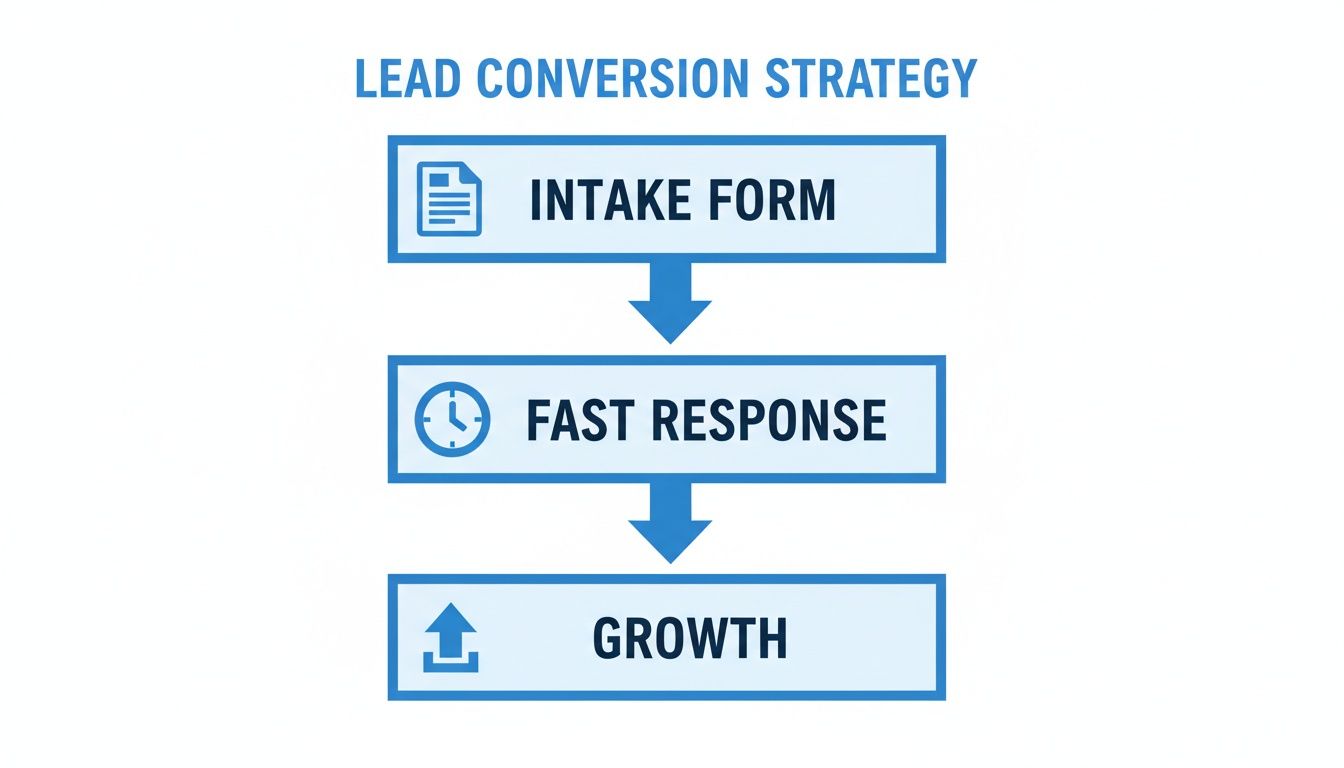
As you can see, connecting your intake directly to a rapid response system is the engine that drives growth.
The Conversion Accelerators
Once you’ve nailed the basics, you can add components that dramatically shrink the time it takes to get a signed retainer. These elements turn your form from a simple questionnaire into an onboarding powerhouse. For more ideas, check out these essential questions for any legal client intake form.
The single biggest mistake firms make is creating friction. Sending one link for a form, a second for a signature, and a third for a payment is a recipe for drop-off. Combine them.
To win the client before they have a chance to call someone else, integrate these elements directly into your intake flow:
- E-Signature Field: Embed a legally binding e-signature block for your fee agreement right inside the form. No separate emails, no extra steps.
- Upfront Payment Collection: Add a secure payment portal to collect consultation fees or retainer deposits immediately, while the client is motivated.
- Staff-Only Fields: Include hidden fields for your team to add internal notes, assign the matter, or document conflict check results without cluttering the client's view.
Essential Questions for Your Practice Area
A generic intake form gets you generic answers. To turn your intake process into a client qualification machine, your questions need to be laser-focused on your specific practice areas. This isn’t just about gathering data; it’s about signaling your firm's expertise from the very first click.
When a prospect sees questions that speak directly to their legal problem, it instantly builds confidence that you know exactly what you're doing. This positions you as the expert and makes the initial consultation far more productive because you already have the foundational facts.
Custom Questions That Qualify Leads
Tailoring your forms is the fastest way to identify high-value leads and screen out those who aren’t a good fit, saving your team countless non-billable hours. You can even use conditional logic in your online form to show or hide questions based on a user's initial selection, so they only see what's relevant.
For a deeper dive, our guide provides ready-to-use intake form templates by practice area that you can adapt for your firm. Below are a few examples to get you started.
The goal is to collect just enough information to qualify the lead and prepare for a productive first call—not to conduct a full deposition through a web form.
Sample Intake Questions by Practice Area
The table below offers a starting point, showing how essential first questions differ dramatically by practice area. These aren't exhaustive lists, but they represent the critical data you need to begin an intelligent conversation.
| Practice Area | Key Intake Questions |
|---|---|
| Personal Injury | - Date, time, and location of the accident? - Briefly describe how the injury occurred. - Have you received medical treatment? If so, where? |
| Family Law | - Date of marriage and date of separation? - Are there minor children involved? - Have you and your spouse discussed asset division? |
| Estate Planning | - Are you married? Do you have children? - Do you currently have a will or trust in place? - What is the approximate value of your estate? |
| Business Law | - What is the legal name of your business? - What is the primary legal issue (e.g., formation, contract dispute)? - Who are the other owners or key parties involved? |
Notice how each set of questions immediately cuts to the core of the legal issue. This focused approach respects the potential client's time and gives your firm the exact information needed to take the next step.
Moving From Data Collection to Client Onboarding
Collecting information is just the first step. The real magic happens after the client hits 'submit.' A smart form kicks off a chain reaction that moves a prospect from lead to retained client without you lifting a finger, stamping out the administrative busywork that kills your billable hours.

It’s about building a system that automatically syncs new client data to your CRM, creates a new matter, and triggers follow-up emails—all without any duplicate data entry.
Turning Submissions into Actions
Think about the time your team wastes copying and pasting a new client’s details from one system to another. Every manual touchpoint introduces the risk of human error—a misspelled name or wrong phone number. Automation builds a smooth, professional handoff.
Here’s what that looks like in practice:
- Instant CRM Sync: The moment a form is submitted, a new contact and matter are instantly created in your practice management software. No more manual entry.
- Automated Follow-Up: A welcome email is triggered, confirming you got their info and outlining the next steps. This makes your firm look responsive from minute one.
- Internal Notifications: Your team gets an alert (via Slack or email) to review the new submission and run a conflict check immediately.
This connected system ensures nothing falls through the cracks. It lets you focus on practicing law, not shuffling digital paperwork.
The goal is to build an engine that runs in the background. A client submits their information, and your systems take over, teeing up the case so you can step in and provide legal expertise, not perform data entry.
Your Top Questions About Client Intake Forms, Answered
Let's get straight to the common questions small law firm owners ask about making their client intake forms work better. These are practical insights that can help you turn more inquiries into retained clients.
How Long Should My Intake Form Be?
Just long enough to qualify the lead, but short enough that they don't give up. Aim for less than 5 minutes. For the first contact, you only need the essentials to run a conflict check and get a basic grasp of their legal issue. You can always ask for more details after the retainer is signed.
Is It Okay to Just Use a Generic Template?
A template is a great start, but you must customize it for your specific practice areas. The questions you need for a personal injury case are worlds apart from those for business formation. A one-size-fits-all form gets you useless information. Tailoring your questions shows the potential client you understand their problem and have the right expertise.
What's the Single Biggest Mistake Firms Make with Intake Forms?
The biggest mistake is treating the form like isolated paperwork. Many firms lose clients because they force a prospect to fill out a form, then send a separate email with a link for an e-signature, and another link for payment. That scattered process is a recipe for getting ghosted.
A modern intake process wraps the form, signature, and payment into a single, straightforward experience. This one change dramatically boosts the odds of a lead becoming a paying client before they have a chance to call another firm.
Does My Intake Form Really Need to Be Mobile-Friendly?
Yes, 100%. A huge number of potential clients will find your firm on their smartphone, often while they're stressed and searching for help right now. If your form is a pain to use on a small screen—forcing them to pinch and zoom—they'll just give up and find a competitor whose website actually works. A mobile-responsive design is non-negotiable.
Ready to stop juggling separate tools and capture signatures, payment, and intake in one seamless flow? intake.link consolidates your entire intake process so you can get retainers signed before they call another firm. See how intake.link consolidates your entire intake process.