

Are you spending good money on marketing only to see promising leads vanish into thin air? The gap between a prospect's first call and a signed retainer is where most small firms bleed revenue, but a good CRM for lawyers turns that chaos into a predictable client-winning machine.
It’s the system that ensures you’re the first firm to respond professionally, which is critical when 67% of clients hire the first firm that gets back to them.
Why Your Firm Is Leaking Revenue
If you're tracking leads with spreadsheets, sticky notes, or just your inbox, you are letting clients slip through the cracks. It's that simple. A disorganized intake process doesn't just feel messy—it actively costs you clients who are ready to hire you.
This isn’t a hunch; the data proves it. Research shows that while an impressive 78% of law firms have adopted some form of CRM, a shockingly low 7% use it effectively. That massive gap means most firms own a powerful engine but have it permanently stuck in first gear. The key to winning is turning your CRM into a conversion tool. Learn more in our cornerstone guide on how to stop losing leads and get faster conversions.
The Real Cost of a Disorganized Intake Process
Without a solid system, you can’t answer the most basic questions about your firm's health:
- How many new leads did we get last month?
- Which marketing channels are sending our best clients?
- Who was supposed to follow up with that high-value prospect from last week?
A good CRM for lawyers answers these questions in seconds. It provides a single source of truth for every potential, current, and past client, ending the phone tag and duplicated effort that kills your team's productivity. You can find more details and trends in Gavel Grow's blog.
Generic Tools Don't Work for Law Firms
Trying to use a generic sales CRM like HubSpot or Zoho for your law practice is like hammering a nail with a screwdriver. It’s clumsy, inefficient, and built for a world that doesn't understand your unique needs.
Law firms have specific requirements that standard CRMs were never designed to handle, from conflict checks to matter-centric organization. A tool built for selling widgets simply doesn't get it.
A purpose-built legal CRM understands the crucial difference between a "contact" and a "matter." It's designed for legal workflows like conflict checking, tracking statutes of limitation, and integrating seamlessly with your practice management software—essentials that generic platforms completely ignore.
Generic CRM vs. Legal-Specific CRM
Here’s a quick comparison of what a standard CRM offers versus what your law practice actually needs.
| Feature | Generic Business CRM | CRM for Lawyers |
|---|---|---|
| Core Concept | Manages sales "leads" and "deals" | Manages potential clients and "matters" |
| Conflict Checking | Not included | Essential. Built-in conflict check against contacts and matters |
| Workflow Automation | General sales pipelines | Tailored intake workflows for different practice areas |
| Statute of Limitation | No concept of legal deadlines | Dedicated fields for tracking critical SOL dates |
| Document Management | Basic file storage | Matter-centric document organization and versioning |
| Integrations | Connects to general business tools | Deep integration with legal practice management (Clio, etc.) |
| Terminology & Fields | "Company," "Deal Stage," "Quote" | "Client," "Matter Status," "Retainer Agreement" |
| Compliance | Not designed for legal ethics rules | Built with legal confidentiality and ethics rules in mind |
A legal-specific CRM is built from the ground up to support the way you actually work, making your entire intake process smoother and more effective.
The Core CRM Features Your Small Firm Needs
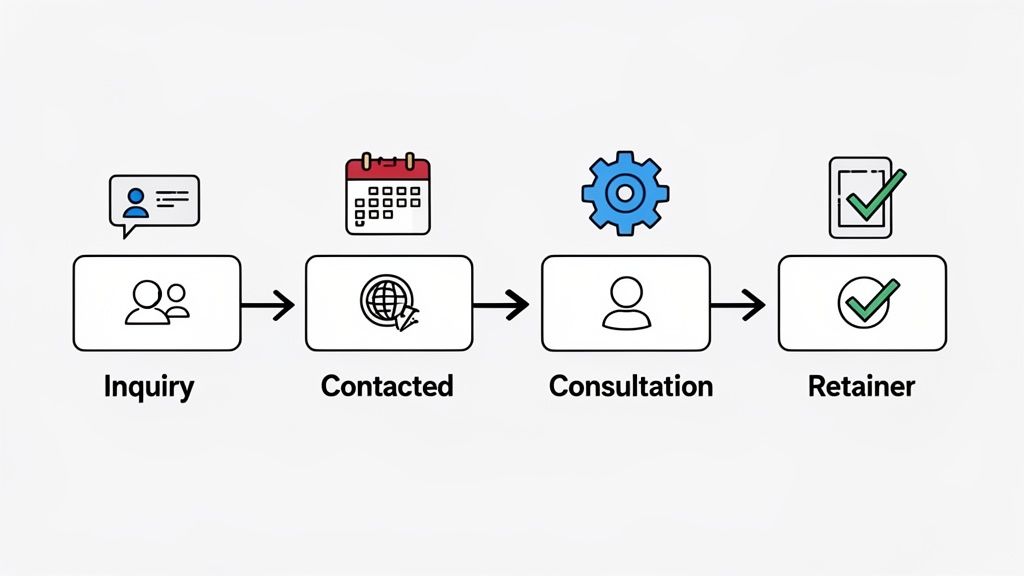
You don't need a bloated system with a hundred features you’ll never use. A powerful CRM for lawyers should do a handful of critical things exceptionally well. Its job is to save you time and ensure promising leads don't go cold.
The foundation is centralized contact management. This isn't just a digital address book. It's a living history of every interaction with every potential, current, and past client. Every email, call note, and document lives in one place, instantly accessible to your team.
See Your Entire Client Pipeline at a Glance
One of the most valuable features is a visual lead pipeline. This is a simple board with columns that mirror your intake process: "New Inquiry," "Consultation Scheduled," "Retainer Sent," and "Client Retained."
With a single glance, you know exactly where every potential client stands. This clarity is a game-changer for a small firm, instantly showing you bottlenecks and helping you prioritize who to follow up with next.
A visual pipeline is a revenue tool. It ensures the 48% of time attorneys spend on non-billable admin is focused on activities that actually move potential clients across the finish line.
Automate Follow-Ups and Stop Playing Phone Tag
This is where a good legal CRM pays for itself. Workflow automation handles the repetitive, manual tasks that eat up your day. It’s how a two-person firm can operate with the efficiency of a team of four.
- When a new lead fills out your website form... the CRM automatically sends a welcome email and creates a task for your paralegal to call them within 15 minutes.
- When you move a lead to the "Consultation Scheduled" stage... it can instantly send a calendar invite and a reminder text 24 hours before the meeting.
- When a retainer is sent but not signed after 48 hours... it can trigger a polite follow-up email checking if they have questions.
These small, automated actions create a consistent, professional client experience without you lifting a finger. They seal the cracks that leads fall through. See how these systems work in our guide on integrating CRM software with your billing tools.
Specialized Features a Legal CRM Must Have
Using a generic business CRM like Salesforce or HubSpot for your law practice creates more problems than it solves. A true CRM for lawyers is built to handle the unique operational and ethical duties you face every day.
These specialized systems aren't just about managing contacts; they're about managing risk and boosting efficiency. They speak your language and are designed for your specific workflows.
Automated Conflict of Interest Checking
Manually checking for conflicts is a high-stakes, time-consuming task begging for human error. A proper legal CRM automates this.
When you enter a new potential client, the system instantly scans their name and related parties against your firm’s entire history. It’s your first line of defense, flagging potential conflicts in seconds, not hours.
Matter-Centric Organization is Non-Negotiable
In a generic CRM, the “customer” is the center of the universe. For any law firm, the matter is everything. A single client can have multiple distinct matters, and you need to keep every document, deadline, and communication firewalled within its specific case file.
A matter-centric CRM ensures every phone log, email, and invoice is linked directly to the correct case. This creates a single source of truth, eliminating the chaos of searching through scattered folders and inboxes.
This structure is fundamental. It allows you to see the complete picture for Smith v. Jones without any information from the Smith Real Estate Closing bleeding over. Tools like AI Chatbots for Lawyers can even help manage initial inquiries, funneling information directly into the correct matter.
Essential Integrations for a Unified Firm
Your CRM should not be a data island. To be truly effective, it must connect seamlessly with the other critical tools you use to run your firm. This is where many generic platforms fail.
A great legal CRM acts as the central hub of your firm's technology. Here's a look at the essential integrations that turn a good CRM into the backbone of your operations.
| Must-Have Legal CRM Integrations | ||
|---|---|---|
| Integration Type | Why It's Essential for Lawyers | Top Examples |
| Legal Practice Management | Your CRM and PM system must sync perfectly. This ensures contacts, matters, and billing information flow automatically, preventing double entry and errors. | Clio, MyCase, PracticePanther |
| Email & Calendar | Connects every client email and appointment directly to the correct matter file, creating a complete and defensible communication record. | Google Workspace, Microsoft 35 |
| Document Management | Allows you to access and manage all case-related documents directly from the CRM, maintaining version control and secure storage. | Dropbox, Google Drive, NetDocuments |
| E-Signature | Speeds up the retainer process by allowing clients to sign engagement letters electronically, with signed copies automatically saved to the matter. | DocuSign, Adobe Acrobat Sign |
| Client Intake Software | Automates the flow of new leads into your CRM, creating new contacts and matters from your web forms without any manual data entry. | intake.link, Lawmatics |
| Accounting Software | Syncs invoices, payments, and trust accounting data between your CRM and accounting platform, keeping your firm’s financials accurate. | QuickBooks Online, Xero |
Without these connections, your team is left manually piecing together information from different systems. A well-integrated CRM powers a smarter, more connected law firm.
Connecting Your CRM to an Unbeatable Intake Process
Your CRM is a powerful engine, but it runs on the data you feed it. If that data comes from a clunky intake process—like manual entry from phone calls—you’re creating bottlenecks that cost you clients.
The key is bridging the gap between a potential client’s first contact and having their information neatly organized in your CRM for lawyers. This isn't just about efficiency; it's about winning their business before a competitor even calls back.
From First Click to Signed Client in Minutes
Picture this: a potential client finds you online. They click a single link and, in minutes, they can fill out an intake form, e-sign your retainer, and submit their initial payment from their phone.
No phone tag. No waiting for emails with attachments. The moment they hit "submit," all of that information syncs directly to your CRM. A new contact is created, a matter is opened, and your team gets an instant notification. Find out more in our guide on client intake software for law firms.
This is how you win. Leads contacted within 5 minutes are 21x more likely to convert. A one-link process closes that gap for good, getting you hired before they can shop around.
Your Website is Your Most Important Front Door
The numbers don't lie. While 46% of clients might first call, website intake forms convert leads at a staggering 17.6%. That's a massive leap compared to the 2.6% conversion rate for inbound calls.
And with 75% of prospects checking out multiple law firm websites before they decide, your online experience has to be flawless. You can see more data in the legal marketing benchmarks on practiceproof.com. Your CRM is what turns those valuable web inquiries into organized, actionable matters.
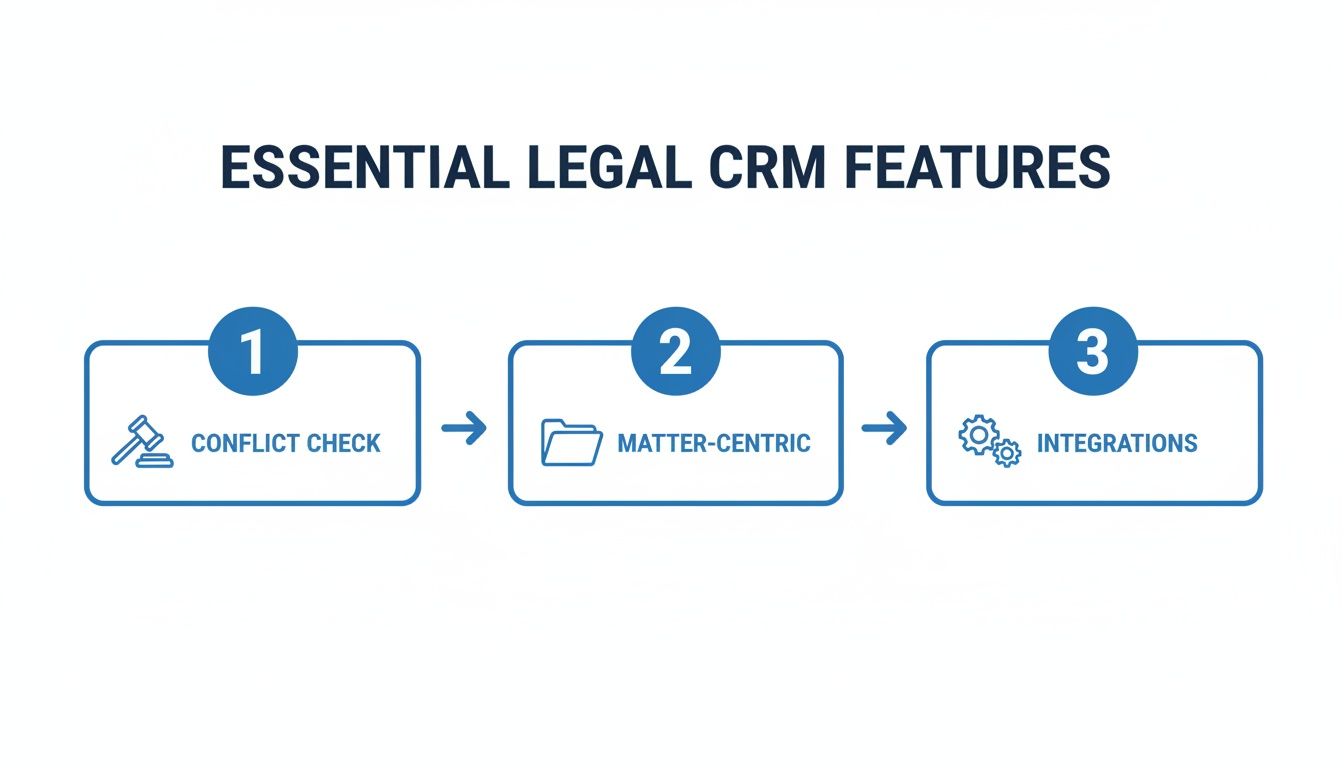
The flowchart above illustrates this perfectly. A legal CRM’s real value isn't just storing contacts; it’s in its specialized, interconnected features that create a cohesive, client-winning workflow.
Your Checklist for Choosing the Right Legal CRM
Picking a CRM for lawyers can feel overwhelming. The secret is to ignore the noise and focus on what your firm actually needs to solve its most painful problems.
Before you look at any software, map out your current client journey. Where are the bottlenecks? Is it manual data entry? The lag time in follow-ups? The chaos of tracking consultations? Pinpoint your top one or two headaches. Your mission is to find a CRM that fixes those first.
Key Evaluation Criteria for Small Law Firms
Don't get distracted by a laundry list of features designed for a 100-person firm. Your focus should be on what delivers value, fast. Resources like this guide on Finding the Best CRM for Law Firms in 2024 can help you compare the top players.
Here's what your core checklist should be:
- Ease of Use: Can your team realistically learn and use this system within a week? A powerful CRM that nobody adopts is just an expensive paperweight.
- Essential Integrations: Does it connect with your email/calendar (Google or Microsoft 365), your practice management software (especially Clio), and your client intake system?
- Transparent Pricing: Is the cost crystal clear? Avoid confusing pricing tiers and hidden fees. A simple monthly or annual fee per user is what you're looking for.
Avoiding Common Implementation Mistakes
I've seen it too many times: a firm invests in a powerful CRM, only for it to gather digital dust. The two biggest mistakes are buying a system that’s too complex and failing to get your team on board.
The goal isn't to buy the most powerful CRM. It's to find the right-sized system your team will actually use every single day to turn more inquiries into paying clients.
Start small. Implement the core features that solve your biggest pain points first, like lead tracking and automated follow-ups. Once your team gets comfortable, you can explore more advanced functions. For a deeper dive, check out our comparison of the best legal CRM software for small firms.
Get Your Retainer Signed Before They Call Another Firm
The whole point of a CRM for lawyers is to turn an interested lead into a paying client before they call another firm. That race is won or lost in the hours—and sometimes minutes—after they first reach out.
To stop client drop-off, you must shrink the time between their first "hello" and a signed retainer from days down to minutes. This is where your intake process and your CRM must work in perfect sync.
The Modern One-Link Workflow
Imagine sending a single, mobile-friendly link to a new lead. With that one link, they can hire you on the spot.
- Sign your fee agreement with their finger on a touchscreen.
- Pay the retainer securely with a credit card or bank transfer.
- Provide their detailed case information through a simple form.
This is how modern firms eliminate the friction that kills deals. No more emailing PDFs. No more waiting for a check in the mail. The prospect completes everything in one smooth experience, right when their motivation is highest.
The real problem isn't your CRM; it's the gap between intake and retainer that’s costing you clients. Fixing this is the single most impactful operational improvement a small law firm can make.
The moment they finish, your system updates automatically. The new contact and matter pop into your CRM, your team gets a notification, and the client feels relief knowing they've hired their lawyer.
Stop losing leads—get signatures before they call another firm.
Frequently Asked Questions About Legal CRMs
Here are straight answers to the questions we hear all the time from lawyers on the fence about getting a CRM.
Do I need a CRM if I already have practice management software?
Yes. They solve two different problems. Your practice management software (like Clio) is for managing work for active clients. A CRM is for winning the business from potential clients. A great CRM feeds clean, organized client data directly into your practice management system, making the handoff seamless.
Is my firm too small for a legal CRM?
No. In fact, the opposite is true. Solo and small firms get the most leverage from a good CRM because it acts as a force multiplier. It lets one or two people handle the intake and follow-up that would normally require a whole admin team, freeing you up for billable work.
How secure is client data in a cloud-based CRM?
It's a critical question. Any CRM built for the legal industry must prioritize security. Look for data encryption (both in transit and at rest), granular access controls, and compliance with data privacy standards. Reputable cloud CRM providers often have far more robust security than a small firm could afford to maintain on its own servers.
Ready to stop leads from going cold? intake.link consolidates your entire intake process into one simple link, getting you signatures and payment before prospects have a chance to call another firm.
Stop losing leads—get signatures before they call another firm