

Are billing errors and lost time quietly draining your firm's revenue? A solid legal billing template is your first defense against these profit leaks, making sure you capture every dollar you've earned. It’s the difference between wrestling with invoices and building a professional, efficient system for getting paid.
Get Your Billing Right From Day One
You're busy practicing law—you don't have time to chase payments or make sense of inconsistent spreadsheets. Yet, attorneys spend nearly half their day—a staggering 48%—on non-billable administrative tasks. Messy billing is one of the biggest culprits.
When you create invoices on the fly, you get inconsistent descriptions, missed time entries, and confused clients who delay payment. This administrative drag doesn't just eat up your time; it hits your cash flow and profitability right where it hurts.
The fix is to stop treating an invoice as an afterthought. Instead, think of it as a core piece of your firm’s operational puzzle. By using a clear, professional legal billing template from day one, you build a seamless operational system that stops errors before they happen. A good template creates consistency across all your cases, whether you're billing hourly, flat-fee, or on contingency.
Anatomy Of An Effective Legal Invoice Template
Every great legal invoice is built on a framework designed for absolute clarity and prompt payment. It’s less about fancy design and more about presenting the right information so clearly that your client can't misunderstand.
Here’s a quick-reference checklist of the essential components your template absolutely must include.
| Component | Why It Matters | Example In Practice |
|---|---|---|
| Firm & Client Info | Establishes professionalism and ensures the bill reaches the right person. | Your firm's logo, address, and the client's full name and matter ID. |
| Invoice Number & Date | Creates a unique identifier for easy tracking and reference in communications. | INV-2024-00123 |
| Clear Fee Breakdown | Itemizes all work with specific descriptions to justify charges and prevent disputes. | "Researched case law re: statute of limitations" instead of just "Research." |
| Totals & Payment Terms | Summarizes amounts due and tells the client exactly how and when to pay. | "Total Due: $2,500. Payment is due within 15 days via check or online portal." |
Getting these four elements right is non-negotiable. They form the foundation of a bill that gets reviewed, understood, and paid without the back-and-forth.
Tailoring Your Billing Template for Any Fee Structure
A one-size-fits-all legal billing template just doesn’t work when you're managing different types of cases. To get paid promptly, your invoices must perfectly match your fee agreements, whether you bill by the hour, charge a flat fee, or work on contingency.
Each structure demands a different approach to how you present information. An hourly bill needs detailed, itemized descriptions to justify the time spent. A flat-fee invoice needs a crystal-clear scope of work to prevent arguments. Nailing this is the key to faster payments and fewer confused client emails.
Hourly Billing Templates: Clear Itemization Is Everything
For hourly work, your invoice's main job is to tell a story of value. Vague entries like "Legal Research" or "Document Review" are just asking for a dispute. Your client has no idea what you actually did, which makes them hesitate to pay.
Your template should force you to be specific. Instead of generic phrases, use action-oriented descriptions that clearly communicate the task and its purpose.
Weak: "Phone call with client"
Strong: "Teleconference with Jane Doe to discuss deposition strategy and review key evidence (0.5 hours)"
Weak: "Drafted motion"
Strong: "Drafted Motion to Compel Discovery, including memorandum of points and authorities (2.1 hours)"
This level of detail answers questions before they're asked and shows the thorough work you're performing, constantly reinforcing the value you provide.
Flat-Fee Billing Templates: Define the Scope Relentlessly
The game changes with flat-fee arrangements. Your invoice isn't about justifying time; it's about confirming you've completed the agreed-upon work. This is where client preferences are shifting in a big way.
In fact, 71% of clients now prefer flat fee structures over hourly billing, demanding more predictability from their legal spending. A recent study on legal billing trends shows this shift helps firms that can clearly define their services close retainers faster and get paid quicker. (Discover more insights on billing data from LeanLaw)
Your flat-fee template must feature a prominent "Scope of Services" section.
Pro Tip: Use the exact language from your engagement letter in your invoice's scope description. This creates an unbreakable, consistent record of what the client agreed to, shutting down potential "scope creep" before it starts.
Your invoice should clearly state the service provided for the fixed price, something like, "Uncontested Divorce Filing, including preparation of petition, financial disclosures, and final decree." This reinforces the agreement and sets a firm boundary.
Contingency Billing Templates: Transparency Is Non-Negotiable
With contingency cases, the final bill often arrives after a long, hard-fought battle. Your client's focus will be laser-sharp on their net recovery, so your invoice must transparently break down every single calculation. There's no room for ambiguity here.
Your contingency billing template needs distinct, easy-to-read sections for:
- Gross Recovery: The total settlement or judgment amount.
- Attorney's Fees: A clear calculation showing the percentage applied to the recovery (e.g., "$100,000 x 33.3% = $33,300").
- Itemized Case Expenses: A detailed list of all costs the firm advanced, like filing fees, deposition transcripts, and expert witness fees.
- Net Amount to Client: The final, bottom-line number the client will receive after all deductions.
By tailoring your template to each fee structure, you create professional invoices that build trust and ensure your firm’s cash flow stays healthy.
Mastering Trust Accounting on Your Legal Invoice
Getting trust accounting wrong isn't just a minor slip-up. For a lawyer, mishandling client funds is one of the fastest ways to land in serious ethical hot water. Your legal billing template has to be perfect here, because the stakes are highest.
Clear communication about how you handle a client's money is non-negotiable. It’s the bedrock of trust and compliance. Use plain language to explain exactly how retainers work for lawyers, how you’ll draw from their trust account, and what the replenishment process looks like. This transparency shuts down disputes before they can even start.
Differentiating Retainer Draws from New Charges
One of the most common things clients get confused about is the difference between an invoice showing a debit from their retainer versus a bill asking for new money. Your invoice template needs to make this distinction visually obvious.
A great way to do this is to add a summary box right at the top of your invoice. It should clearly lay out:
- Beginning Retainer Balance: The amount held in trust at the start of the billing period.
- Current Charges: A detailed list of all billable work performed during the period.
- Payment from Retainer: The amount deducted from the trust balance to cover those charges.
- Ending Retainer Balance: The funds left in trust after the payment.
- Amount Now Due: This should almost always be $0.00, unless the retainer is depleted and new charges exceed what was left.
This structure instantly clarifies that you’re not asking for new money; you're simply showing them how you've paid your firm from the funds you already hold. It turns a potentially confusing document into a simple statement of account activity.
Of course, all of this depends on having your books in perfect order. Accurate trust accounting is impossible without meticulous bank reconciliation to ensure every penny of client funds is properly managed.
Compliant Language for Your Template
While your full engagement letter will have all the details, your invoice should reinforce the key terms in simple language. Adding a short statement in the footer of your template can proactively answer client questions and manage expectations.
Here’s a simple example you can adapt:
“Your retainer is held in a dedicated client trust account. As we earn fees by working on your case, we will pay ourselves from these funds, as detailed in this invoice. If your trust account balance falls below [$Amount], we will require replenishment to continue our work, as outlined in your fee agreement.”
This simple, repeatable language demystifies a complex but critical part of the attorney-client relationship.
How to Automate Billing From Intake to Invoice
Manual billing is the administrative quicksand that keeps small firms from growing. You're losing hours to tasks that don't move a case forward. Remember, attorneys spend nearly 48% of their time on non-billable administrative work, and billing is a major offender.
Real efficiency isn’t about a slightly better legal billing template. It's about a system that automates the entire cycle, starting from the very first click a potential client makes.
Imagine this: you send a prospect one link. They sign their retainer, pay the initial deposit, and fill out their intake form. The moment they submit, their client file is instantly created in your CRM, and the first trust deposit is recorded. No manual data entry. That's how you build a powerful operational backbone for your firm.
Connecting Intake to Your Practice Management Software
The goal here is simple: eliminate duplicate work. Every time you copy and paste a client's name or case details from your intake system to your practice management software, you're not just wasting time—you're opening the door for costly errors.
When your systems talk to each other, the data a client enters on day one is the exact same data that appears on their first bill. It's a tight, unified workflow that drastically cuts down the time-to-retainer, getting you paid faster.
For firms serious about integration, dedicated legal practice management software can be a true game-changer, creating a seamless path from initial contact to final payment.
This flowchart shows how a modern, integrated system handles client funds.
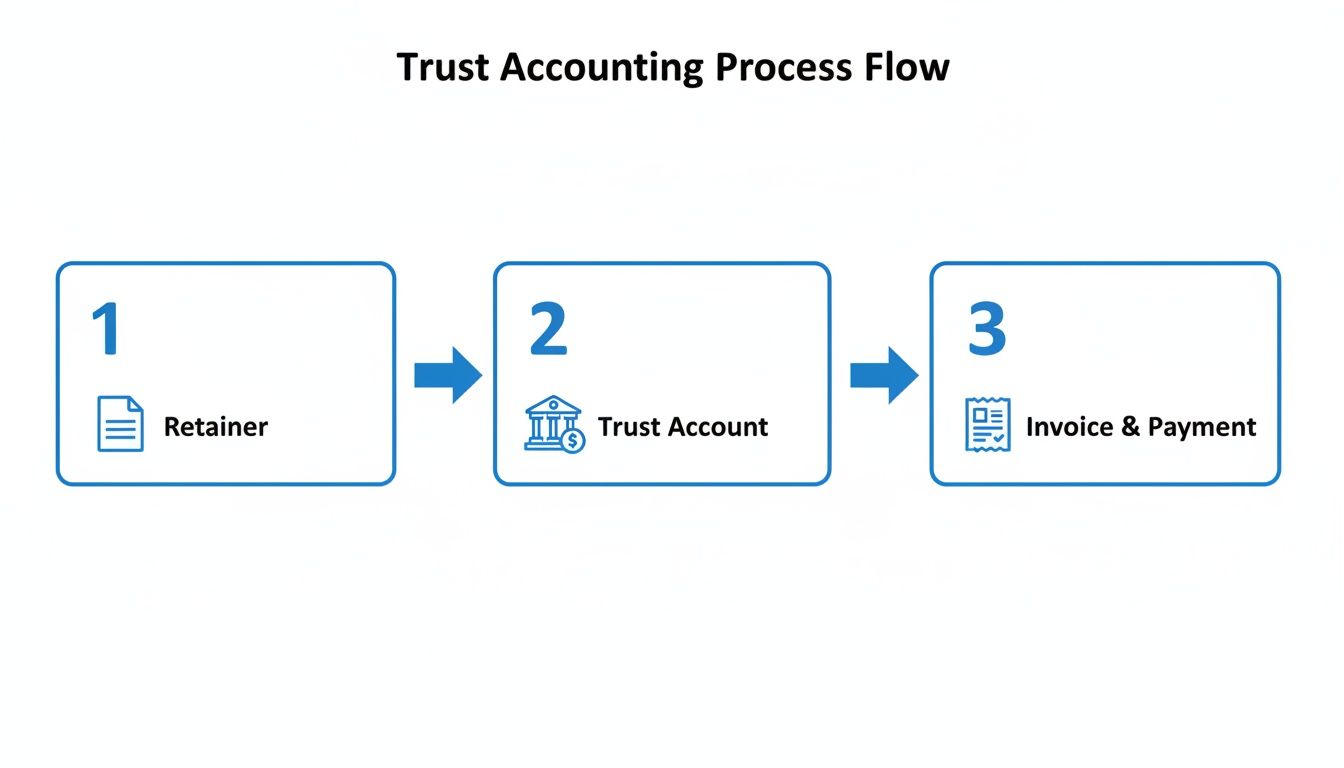
This visual makes it clear: when the retainer, trust account, and invoicing are linked, compliance gets simpler and errors all but disappear.
Why Spreadsheets Are a Liability for Legal Billing
Spreadsheets are free, but they come with a hidden cost: revenue leakage. Studies have shown that firms relying on manual systems can see write-offs from billing inaccuracies as high as 12-15%. That's a staggering amount of earned revenue vanishing into thin air.
The global legal billing software market is projected to explode from USD 2.36 billion to USD 18.47 billion by 2034, which tells you where the industry is heading. Firms are abandoning manual methods for a reason: accuracy.
By automating billing right from intake, you're future-proofing your firm's bottom line. You’re building a system that can scale, allowing your small team to handle a growing caseload without getting buried in paperwork.
Syncing your intake and payment data directly with your accounting tools is critical. Creating a smooth data flow between your CRM and accounting software eliminates hours of frustrating reconciliation work. For some practical tips, check out our guide on the benefits of a CRM software and QuickBooks integration.
This isn't just about working faster. It's about building a smarter, more resilient firm that captures every single dollar it earns—starting from that very first click.
Creating Clear Legal Invoices That Get Paid Fast
Let's be honest: a confusing invoice is an unpaid invoice. Your clients are busy. If your bill is a wall of jargon with a messy layout, they’ll shove it in the "deal with this later" pile, and your cash flow will grind to a halt.
The goal is simple: create a professional, clear document that makes paying you the easiest thing your client does all day. This isn't just about looking good; it's about removing every ounce of friction from the payment process. Clean formatting and simple language get you paid faster. It's that straightforward.
Write Descriptions a Human Can Understand
Think of your invoice as a communication tool, not just a bill. It's your chance to reinforce the value you provided. Ditch the internal shorthand and overly formal legal phrases that just confuse and alienate clients. Use simple, action-focused descriptions instead.
Instead of: "Drafted responsive pleading"
Try: "Wrote and filed the official Answer to the plaintiff's complaint"
Instead of: "Conducted discovery"
Try: "Prepared and sent formal questions (Interrogatories) to the opposing party"
This small shift in language directly answers your client’s main question: "What did I actually pay for?" When the value is crystal clear, the motivation to pay goes way up. Even with all the tech in the world, 90% of legal dollars still flow through hourly models, creating tension with clients who demand transparency. You win by making your billing painless and easy to understand.
Make Paying Ridiculously Easy
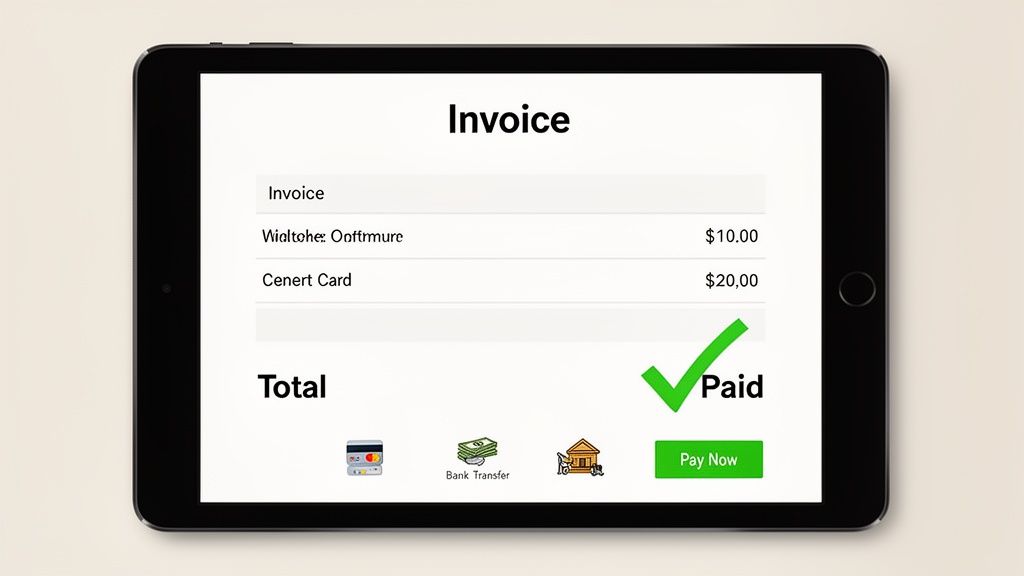
Stop making your clients hunt for a checkbook and a stamp. The single best way to get paid faster is to give them multiple, convenient ways to pay you right on the invoice itself. Your clients expect the same one-click payment experience they get everywhere else.
Key Takeaway: An invoice that only accepts checks is an invoice designed to be paid late. Adding a "Pay Now" button linked to an online portal can cut your collection time by weeks.
Your legal billing template needs to have online payment options front and center. If you're still on the fence, it's time to make the leap. Our guide on whether lawyers should accept credit cards walks through the benefits and ethical guardrails.
By making payment a simple, one-click process, you eliminate friction and take back control of your firm's revenue. Clear invoices with easy payment options are the ones that get paid first.
FAQs About Legal Billing Templates
Even with the best tools, you'll still run into questions. Let's cut through the noise and get straight to the answers small firm owners need for their legal invoices and billing templates.
What is the best format for a legal billing template?
The best format is clean, professional, and easy for a busy client to scan. Lead with your firm's logo and contact details, followed by the client's information and a unique invoice number for tracking.
Then, itemize your services. Use clear columns for the date, a simple description of the work, hours spent, your rate, and the total for that line item. Always wrap up with a simple summary, the total amount due, and straightforward payment instructions. For delivery, PDF is the professional standard.
How do I write compliant legal billing descriptions?
Vague entries are the number one cause of client disputes and delayed payments. Be specific and use action-oriented language to show exactly what you did.
Instead of: 'Legal research'
Try: 'Researched case law regarding statute of limitations for contract disputes.'
Instead of: 'Reviewed documents'
Try: 'Analyzed plaintiff's 150-page deposition transcript for key admissions.'
If it makes sense, using Uniform Task-Basked Management System (UTBMS) codes adds another layer of professionalism. This clarity is a win-win: clients appreciate it, auditors understand it, and you get paid faster because it demonstrates the precise value you delivered.
How often should my law firm send invoices?
For most hourly matters, monthly billing is the gold standard. This keeps clients in the loop on costs, preventing "sticker shock" from a massive, unexpected bill. More importantly, it dramatically improves your firm's cash flow.
Don’t let unbilled work pile up. It’s a recipe for financial stress.
For flat-fee cases, your invoicing should follow the terms in your engagement letter. A common structure is 50% upfront and 50% at completion, or you might tie payments to specific project milestones.
Key Takeaway: Consistent, predictable billing builds client trust and ensures you have a steady stream of revenue. Sporadic invoicing creates cash flow gaps and signals disorganization.
What tools can automate legal billing for a small firm?
For a small firm, the most powerful automation comes from connecting your client intake process directly to your practice management software. This creates a single, unbroken workflow from the moment a lead contacts you to the final payment.
Imagine this: an intake tool captures a signed retainer and the initial deposit. That data then automatically pushes into a system like Clio to create a new client and matter. Your practice management software takes it from there, handling time tracking and generating future invoices from that same data.
This integrated approach completely eliminates duplicate data entry and ensures the billing process starts accurately from day one, saving you hours of administrative headaches.
Ready to stop chasing signatures and payments? Your next step is to unify your workflow. Replace scattered tools with a single link for intake, signatures, and payments so you can lock in new clients before they have a chance to call another firm.