
Every hour you spend chasing down a signed retainer is an open invitation for a potential client to hire another firm. Getting the electronic signature legal requirements right isn't just an operational upgrade—it's how you get hired before your competition does.
Your ability to secure a legally binding signature in minutes is your most powerful tool for turning a good consultation into a paying client.
Stop Chasing Paperwork and Win More Clients
For a small law firm, your time is your most valuable asset. Yet, attorneys like you spend a staggering 48% of their time on non-billable administrative tasks. Chasing signatures, scanning documents, and manual data entry are the biggest culprits draining your day and costing you clients.
It’s the kind of work that actively loses you business. A modern client expects an immediate, digital response, and every delay gives them a reason to look elsewhere.

This guide gets straight to the point. We'll demystify the core laws—ESIGN and UETA—and give you a practical framework you can implement immediately. By adopting the right systems, you can transform your firm's operations. Our cornerstone guide on law firm operations that scale shows how systems are the key to letting a small team do the work of a much larger one.
From Administrative Drag to Competitive Edge
Think about your current intake process: phone calls, emails, printing a PDF, waiting for the client to sign and return it, then scanning it into your system. Each step creates friction and delay, giving a motivated lead plenty of time to call the next lawyer on their list.
A streamlined e-signature workflow eliminates this completely. Adopting a secure, compliant process lets you:
- Secure Clients Instantly: Get a retainer signed and paid before the initial consultation even ends.
- Reduce Administrative Overhead: Free up hours of your time for billable work by automating manual tasks.
- Enhance Client Experience: Offer a simple, professional onboarding that proves your firm is efficient and modern. You can learn more about how to improve the client onboarding process in our detailed guide.
By building your intake around efficient and legally sound systems, you gain leverage. You stop losing clients to operational delays and focus on what truly matters: practicing law.
Understanding US E-Signature Law: ESIGN & UETA
When it comes to electronic signatures, your firm needs to know the rules of the road. In the United States, that road was paved by two foundational laws: the ESIGN Act and UETA.
These laws are why a retainer signed on a client’s phone is just as binding as one signed with a pen in your conference room.
The first piece of the puzzle is the ESIGN Act (Electronic Signatures in Global and National Commerce Act). Think of this as the federal green light for e-signatures. Passed in 2000, it established that a contract can't be denied legal effect just because it's signed electronically.
The Power Duo: ESIGN and UETA Explained
Backing up the federal ESIGN Act is UETA, the Uniform Electronic Transactions Act. UETA is a state-level framework that 49 states, D.C., and the U.S. Virgin Islands have adopted. It creates consistency, ensuring electronic records are treated the same way whether your client is in California or Florida.
New York, the one holdout, has its own similar law that accomplishes the same thing.
Together, ESIGN and UETA create a simple, technology-neutral standard. The law doesn’t care what technology you use—a typed name, a finger-drawn signature, or a simple click on an "I Agree" button. What matters is whether your process meets a few core legal requirements.
You can learn more about how these laws compare to global standards.
The key takeaway: The law focuses on the process and intent behind the signature, not the specific technology. A legally sound process is your best defense.
So, what does that process need to include? The framework from ESIGN and UETA boils down to four core requirements.
Key Requirements of E-Signature Laws
| Requirement | What It Means for Your Firm | Practical Example |
|---|---|---|
| Intent to Sign | Your client must take a clear, deliberate action showing they meant to sign. The system can’t just assume they agree. | The client types their name into a signature box and then clicks a button clearly labeled "Sign Agreement" or "I Agree." |
| Consent to Do Business Electronically | You have to get the client's permission to use electronic records and signatures. They can't be forced into it. | A clear disclosure appears before the document: "By continuing, you agree to receive and sign documents electronically." The client must check a box to proceed. |
| Association of Signature with the Record | The system must create a secure, logical link between the signature and the specific document it belongs to. | The software embeds the signature directly into the PDF of the retainer agreement, creating a single, unified file. |
| Record Retention | The final, signed document must be stored accurately and be accessible to both you and the client down the road. | Your system automatically emails a copy of the fully executed PDF to both you and your client and stores an unalterable version in the client's file. |
Meeting these electronic signature legal requirements isn’t just about ticking a box. It's fundamental risk management. If your process fails on any of these points, an agreement could be challenged, putting your fees and your work in jeopardy.
E-Signatures in the EU: The eIDAS Regulation
If your firm handles agreements that cross into the European Union, you can't just rely on the flexible U.S. approach. You need to understand a completely different framework for electronic signature legal requirements: the eIDAS Regulation.
While ESIGN and UETA create a fairly uniform, tech-neutral standard in the U.S., eIDAS (electronic Identification, Authentication and Trust Services) sets up a structured, tiered system for all 27 EU member states. This fundamentally changes the level of proof tied to a signature.
The Three Tiers of eIDAS Signatures
The eIDAS Regulation, which went into effect on July 1, 2016, sorts electronic signatures into three distinct levels. Knowing these tiers is non-negotiable for advising clients on cross-border deals.
For a deeper dive into how these rules are shaping the industry, you can check out reports on the global digital signature market.
Here's how the three tiers break down:
Simple Electronic Signature (SES): This is the baseline, much like the standard U.S. e-signature. Think typing your name or clicking "I Accept." It shows intent but has the lowest evidentiary weight.
Advanced Electronic Signature (AES): This is a significant step up. An AES must be uniquely linked to and capable of identifying the signer, created using data only the signer controls, and linked to the document in a way that makes any later changes detectable.
Qualified Electronic Signature (QES): This is the gold standard in the EU. A QES is an AES created with a special secure device and backed by a "qualified certificate" from a government-approved provider. A QES is the legal equivalent of a handwritten signature across the entire EU.
US vs. EU E-Signature Frameworks
The difference between the U.S. and EU models is flexibility versus structure. The U.S. prioritizes a broad, functional definition, while the EU creates a clear hierarchy of assurance levels.
| Aspect | ESIGN/UETA (United States) | eIDAS (European Union) |
|---|---|---|
| Approach | Technology-neutral; focuses on intent to sign. | Tiered system with specific technical requirements. |
| Primary Levels | One broad category for "electronic signature." | Three levels: Simple (SES), Advanced (AES), Qualified (QES). |
| Highest Standard | A secure, auditable signature with a strong evidence trail. | Qualified Electronic Signature (QES). |
| Legal Equivalence | A valid electronic signature has the same legal effect as a wet signature. | A QES has the same legal effect as a wet signature by law. |
| Geographic Scope | Federal law (ESIGN) and state law (UETA). | Regulation applies uniformly across all 27 EU member states. |
A one-size-fits-all approach to e-signatures is risky. What provides solid legal footing in Ohio might not meet the standard for a transaction governed by German law.
Why This Matters for Your Firm's Operations
For most routine international agreements, an SES or AES will probably be sufficient. But when the stakes are high—major M&A deals, real estate transactions—a QES provides the strongest possible legal certainty in the EU. Your firm's document management systems need to handle these different standards.
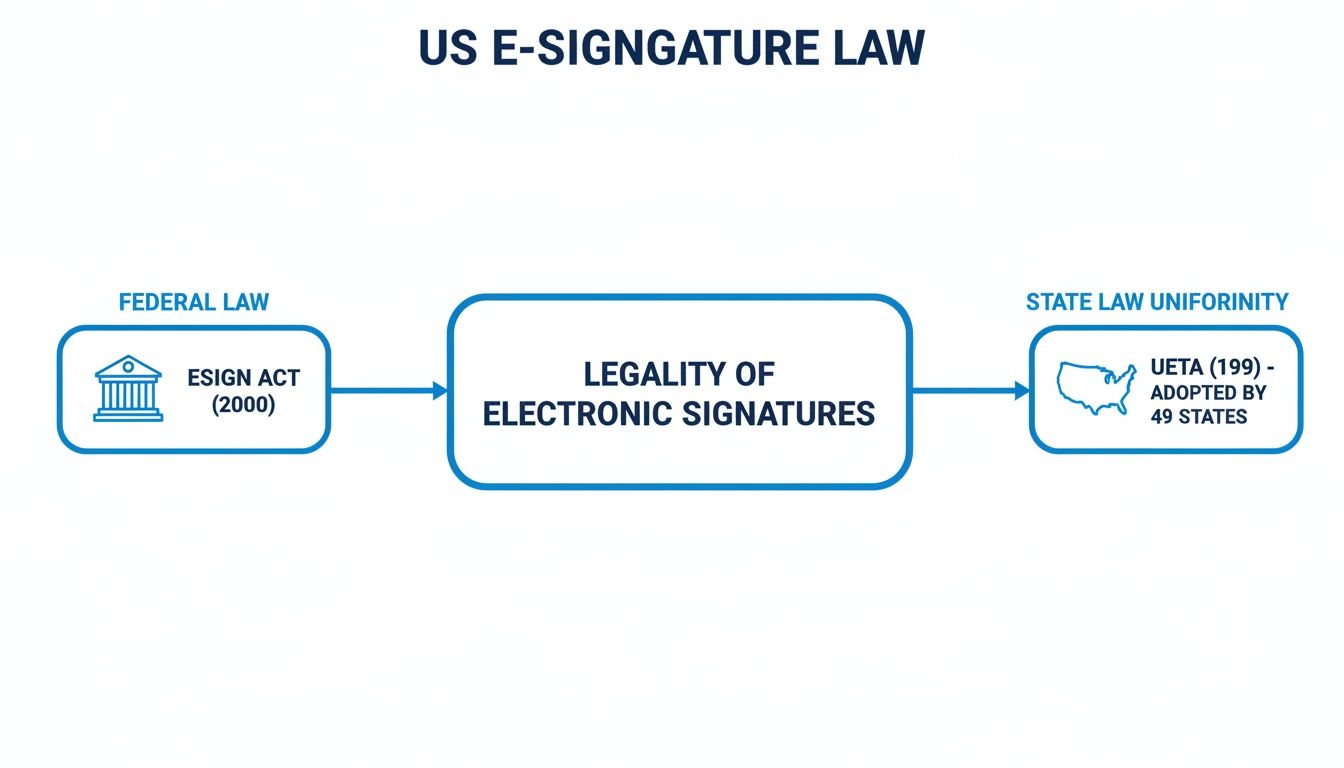
As the visual shows, the federal ESIGN Act creates the national baseline, while widespread UETA adoption builds a consistent legal foundation for e-signatures in the U.S. Understanding both frameworks ensures your clients' agreements aren't just signed—they're enforceable.
How to Prove an E-Signature Is Valid
A signed retainer is worthless if you can’t prove who signed it. When a client disputes an electronic signature, the burden falls on your firm to demonstrate its authenticity. This is where the theory of electronic signature legal requirements crashes into reality.
A signature's validity isn't about the squiggly line; it's about the mountain of evidence you have to back it up.
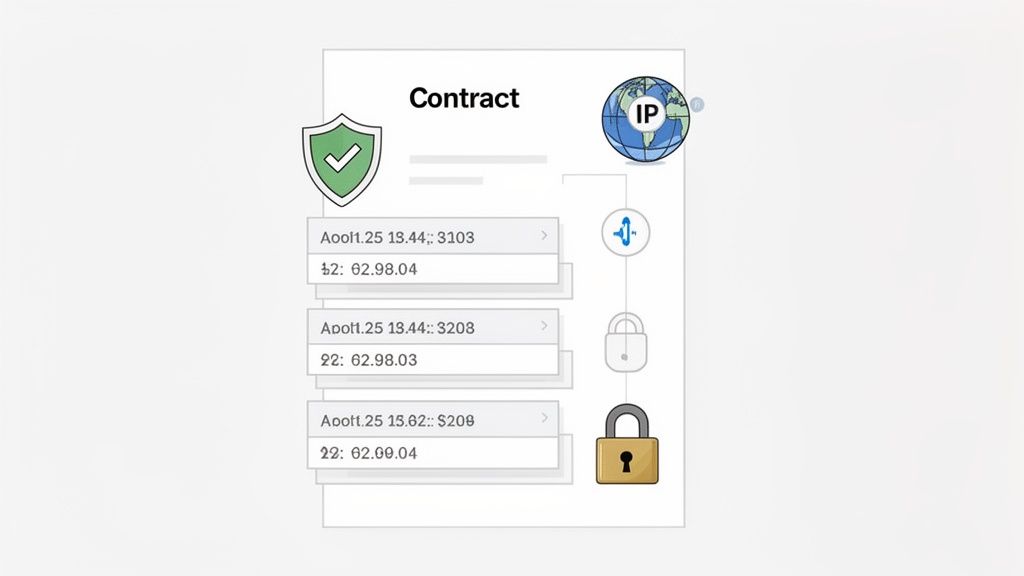
This is where your audit trail becomes your most important ally. It's the digital fingerprint that proves a client's identity and their clear intent to sign your agreement. For a small firm, a system that automates this evidence trail is fundamental risk management.
The Non-Negotiable Audit Trail
Think of an audit trail as your document's black box recorder. It’s an unchangeable, time-stamped log of every single interaction with your agreement. If a signature is ever challenged, this trail is your Exhibit A.
A defensible audit trail captures every critical event. It’s the digital paper trail that connects a specific person to a specific action at a specific time, creating a record that’s incredibly hard to dispute.
An audit trail transforms a signature from a simple image on a page into a verifiable event. It provides the crucial context—the who, what, when, and where—that makes the signature legally defensible.
At a minimum, your system’s audit trail must include:
- Signer Identity: Captures the name and email address of the individual who received the request.
- IP Address Logging: Records the IP address of the device used to view and sign the document.
- Complete Event Timestamps: A chronological log of every action, including when the document was sent, viewed, and signed.
- Document History: A record showing the document was not altered between viewing and signing.
This detailed log proves the signer's identity and intent. Using a standardized legal retainer agreement template can help ensure this process is consistent every time.
Strengthening Proof with Authentication Methods
While an audit trail provides a record after the fact, authentication verifies the person signing is who they claim to be before they sign. You should match the level of authentication to the risk of the agreement.
Common authentication methods include:
Email Verification (Standard): This is the baseline. By sending the document to a specific email address, the system creates a strong inference that the owner of that email account is the signer.
Access Codes (Medium Security): For added security, send a unique, one-time access code to the signer via a separate channel, like an SMS message.
Multi-Factor Authentication (MFA) (High Security): This is the gold standard for high-stakes agreements. It requires two or more independent verification methods before granting access.
By combining a comprehensive audit trail with the right authentication, you build an ironclad case for the validity of every signature you collect.
Where E-Signatures Aren't an Option
While e-signatures are a game-changer for your firm's operations, they aren't a silver bullet for every document. Both the federal ESIGN Act and state-level UETA laws have specific carve-outs for certain high-stakes documents.
For these, a "wet ink" signature is still the gold standard, and ignoring that is a costly mistake.
Knowing these exceptions is critical. It protects your firm from having a crucial document invalidated. For the vast majority of your day-to-day operations—signing retainers, fee agreements, and standard business contracts—e-signatures are fully compliant.
Common E-Signature Law Exclusions
You should always assume a wet ink signature is required for documents that fundamentally alter a person's life or transfer significant property. These categories often require a higher level of formality, like in-person witnessing or notarization.
Key areas where e-signatures are commonly prohibited include:
- Wills, Codicils, and Testamentary Trusts: These almost always demand strict, in-person formalities.
- Family Law Documents: Many states require physical signatures for adoption papers, divorce decrees, and prenuptial agreements.
- Official Court Documents: Includes court orders, notices, and pleadings that must follow specific court rules.
- Notices of Cancellation or Termination: Essential notices like health insurance, life insurance, or utility termination often require physical delivery.
Navigating Uniform Commercial Code (UCC) Nuances
Be aware of documents governed by certain articles of the Uniform Commercial Code (UCC). Specific instruments like letters of credit or documents of title can have unique execution requirements that don't mesh with standard e-signature practices. Always double-check UCC rules in your jurisdiction.
The bottom line: Treat e-signatures as the default for your business operations but the exception for life-altering legal instruments. This simple rule will keep your firm compliant.
Thankfully, these exceptions are rare in the context of client intake. For the business contracts that make up over 80% of a typical law firm's intake process, ESIGN and UETA provide a clear and reliable legal framework. You can find more details about how these laws apply across different industries and global standards.
Your Firm's E-Signature Compliance Checklist
Let's move from theory to a practical checklist for your firm. A defensible e-signature process isn’t just about the software; it’s about the entire workflow you build around it. This is your action plan for making sure your intake isn't just fast, but bulletproof.
When you're trying to land a new client, minutes matter. Research shows that leads contacted within 5 minutes are 21x more likely to convert. A smooth, compliant e-signature process is how you close that gap.
Foundational Steps for a Defensible Process
Your first job is to create a signing procedure that's clear, consistent, and provable. Every step should be designed to build a rock-solid evidentiary record.
Start by implementing these core actions:
Obtain Affirmative Consent: Before sending a document, get the client's explicit consent to do business electronically. This can be a simple checkbox paired with clear language like, "By checking this box, you agree to sign and receive documents electronically."
Provide a Clear Opt-Out: Clients have the right to say no. Your process must include a simple way for them to request a paper copy. This shows their consent was freely given.
Verify Signer Identity: Match your authentication level to the risk. For most retainers, a verified email address is enough. For higher-stakes matters, consider adding an SMS code.
Building Your Evidentiary Trail
The technical backbone of your compliance is the audit trail. A modern platform handles this automatically, but you need to know what to look for. This commitment to security is an extension of your firm's professional duties, similar to the protocols outlined in Secure Attorney Video Conferencing Essential Best Practices.
Your system must generate and securely store a complete audit trail for every document. This log should include:
- The signer's name and email address.
- The IP address of the device they used.
- A complete, time-stamped history of every action (sent, viewed, signed).
Key Takeaway: Your goal is to create a self-authenticating record. The audit trail should be so complete that it can stand on its own to prove the signature's validity.
Long-Term Record Retention and Access
Your final responsibility is maintaining the integrity of signed records over time. You must be able to prove a document hasn't been altered since it was signed.
Make sure your system provides secure, long-term access to all electronic records for both you and your client. For more on this, check out our guide on the best client intake software for law firms that handles these requirements out of the box.
This detailed log provides the concrete evidence needed to validate the entire signing event.
Frequently Asked Questions
When it comes to the legal side of electronic signatures, small law firms have the same practical questions. Here are the most common questions we hear from attorneys like you.
Are Electronic Signatures as Legally Binding as a Handwritten Signature?
Yes. In the United States, the federal ESIGN Act gives electronic signatures the same legal weight as "wet ink" signatures for nearly all agreements.
As long as your process meets the core requirements—intent, consent, and a clear audit trail—it's legally enforceable. The digital record is your evidence, showing exactly how and when the client agreed.
What Happens if a Client Challenges an Electronic Signature?
If a client disputes an e-signature, the burden of proof is on your firm to show it’s valid. This is exactly why a comprehensive audit trail is a must-have.
You would present the audit log, which captures everything: timestamps, IP addresses, and a complete history of the signing event. This provides clear, objective proof of the client's identity and intent, protecting your firm and your fees.
Does My Firm Need a Specific Type of E-Signature?
For most of your client agreements in the U.S., a standard electronic signature backed by a strong audit trail is all you need. The ESIGN Act is technology-neutral, meaning it cares more about the process and intent, not the tool.
However, for agreements with parties in the EU, you might need to meet a higher standard. The EU's eIDAS regulation defines different tiers, and an Advanced (AES) or Qualified (QES) signature might be required.
How Long Must We Retain Electronically Signed Documents?
You have to keep electronic records for at least as long as you'd be required to keep their paper counterparts. The exact timeframe depends on the statute of limitations in your state and your local professional responsibility rules.
Modern cloud-based systems make this far easier than managing boxes in a storage unit. You can securely store and reproduce an exact copy of the signed document and its audit trail for years with just a few clicks.
Ready to stop chasing paperwork and secure clients in minutes? intake.link combines legally binding e-signatures with intake forms and payments in a single, seamless flow.
Explore how unified workflows replace scattered tools.