

A slow client onboarding process is a silent killer for small law firms, letting committed leads slip away in the gap between a verbal "yes" and a signed retainer. Improving your client onboarding process isn't about fancy software—it's about replacing phone tag and scattered paperwork with a single, fast path that gets you hired before a potential client can call your competition. That speed is your biggest competitive advantage.
Why Your Current Onboarding Is Costing You Clients and Wasting Billable Hours
That sinking feeling when a great lead goes silent after a fantastic consultation? It’s not your legal advice. It’s the friction you’re putting them through just to hire you. For a busy law firm, a clunky, manual process is a revenue killer that actively pushes good clients toward other firms.
This is where building efficient law firm operations becomes a game-changer, letting your small team accomplish more without burning out.

Every manual step you force a client to take is another chance for them to drop off. Asking them to print a retainer, find a scanner, and email it back before sending a separate payment link is a process that frustrates modern clients. They expect one-click ease, and anything less feels broken.
The Hidden Costs of a Slow Onboarding Process
The gap between a verbal "yes" and a signed, paid retainer is the most dangerous time in the client relationship. It's where your firm is most vulnerable, and the costs are very real.
- Vanishing Leads: Research shows 67% of clients choose the first firm that responds professionally. Every hour you make a motivated prospect wait is an hour they can spend calling the next firm on their list. A clunky process is the opposite of professional.
- Wasted Admin Hours: Your team’s time is for billable work, not chasing signatures or manually copying contact info. Attorneys already spend 48% of their time on non-billable admin tasks; a messy onboarding process just makes that worse.
- A Terrible First Impression: A confusing process with endless follow-up emails screams disorganization. It undermines the client's confidence and makes them wonder if they're making the right choice.
The Bottom Line: A slow onboarding process directly translates into lost revenue, wasted payroll, and a damaged reputation before you've logged your first billable hour.
From Disjointed Steps to a Unified Workflow
The solution isn't working harder; it's working smarter by consolidating your workflow. The goal is to close the gaps where potential clients get lost. Imagine replacing chaotic back-and-forth with a single link that handles everything.
A modern system guides a client from e-signature to payment to intake forms in one smooth session on their phone. This isn’t just about convenience; it’s a strategic move to secure commitment the moment they're ready. Learning how to improve your client onboarding process is one of the highest-impact investments you can make in your firm’s growth.
Step 1: Audit Your Current Onboarding Process (The 30-Minute Friction Finder)
Before you can fix your client onboarding process, you need an honest look at what’s actually happening right now. Most small firms have a jumbled collection of emails and manual steps that evolved over time. Getting this down on paper is the first step to fixing it.
The goal is a simple map of every action from the moment a client says "yes" to when their file is officially opened. This exercise exposes the hidden friction points that are costing you time and clients.
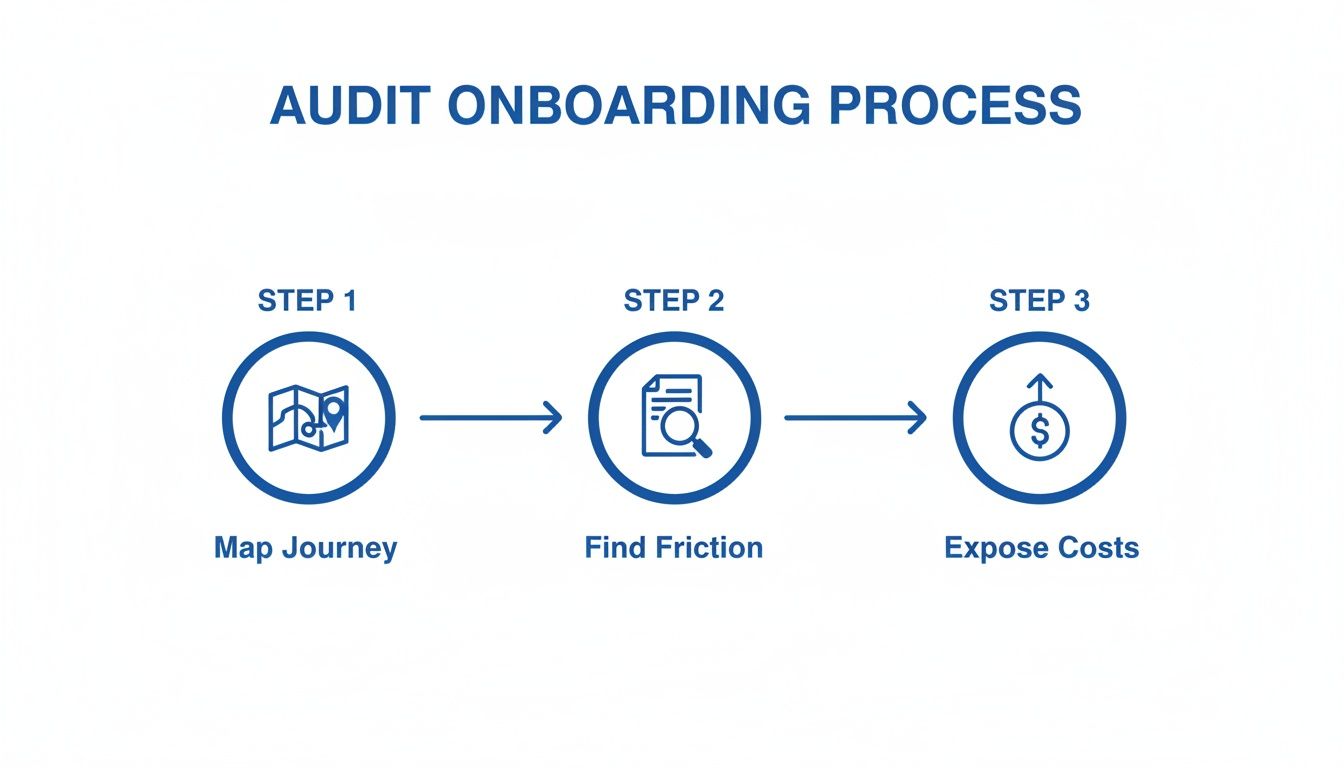
Uncovering the Friction in Your Workflow
Trace the client’s journey from their perspective. Grab a whiteboard and list every single touchpoint. Be brutally honest.
Does a client have to download a PDF, print it, sign it, find a scanner, and then email it back? That’s a massive friction point. Each hurdle adds delay and creates an opportunity for a motivated client to lose steam or call another firm.
Creating a seamless first impression is critical. To dive deeper, our complete guide to law firm client intake is an essential resource.
The Onboarding Audit: A Step-by-Step Guide
To make this tangible, walk through the exact sequence of events for your last new client. Don't guess—pull up your emails and ask your staff.
- Identify Every Touchpoint: List every interaction: the "next steps" email, sending the engagement letter, chasing the signature, processing payment, and sending the intake form.
- Document the Tools: What software is involved? Are you using email, Word, a separate e-signature tool like DocuSign, and a payment processor like LawPay or Stripe?
- Measure the Delays: How much time passes between each step? If it took two days to get the retainer signed and another day to get the intake form back, that’s a 72-hour delay where the relationship was at risk.
- Pinpoint Manual Work: Where is your team manually typing data? Copying a client’s info from an email into your practice management software is a prime example. Every instance is wasted time and a potential error.
You can't fix a bottleneck you can't see. Mapping your process reveals exactly where clients get stuck and where your team wastes time.
Step 2: Build a Unified Onboarding Hub (One Link to Rule Them All)
Juggling separate tools for intake forms, e-signatures, and payments is precisely where promising leads drop off. You've audited your process and found the friction. The fix is to consolidate those scattered steps into a single, professional hub.
Stop thinking in terms of separate tasks. Start thinking about one unified client journey.
This means swapping the scavenger hunt of PDFs and payment portals for one single, branded link. Imagine sending a client a link that guides them through signing the retainer, paying the deposit, and completing their intake in one seamless flow. This isn't a tweak; it's a fundamental shift in how you secure new business.
From Disjointed Tools to a Cohesive Client Experience
A unified onboarding hub immediately signals that your firm is organized and modern. This builds trust before the real legal work even starts.
The practical benefits are immediate:
- Faster Conversions: You can shrink the time-to-retainer from days to minutes. A client can sign and pay on their phone moments after a consultation.
- Fewer Errors: Centralizing data collection eliminates manual copy-pasting. Information is entered once—by the client—and flows directly into your systems, slashing the risk of typos.
- Reduced Drop-Off: A single, clear path keeps the client moving forward, eliminating the dead space where leads go cold.
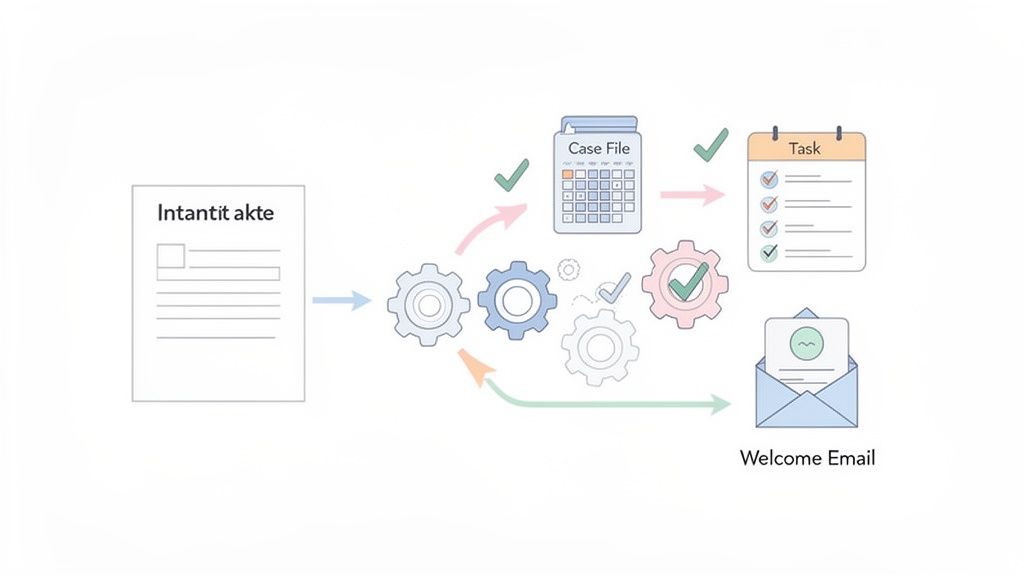
Why a Single Link is the Key to Improving Your Onboarding Process
This consolidation is less about technology and more about client psychology. You're making it incredibly easy for them to say "yes" and make their commitment official. One legal tech report found firms save an average of 1,329 hours per year by automating client communications.
The goal is to make hiring your firm the easiest decision the client makes all day. A single link for signing, payment, and intake closes the deal before they have a chance to call another firm.
Implementing this doesn't require a massive IT project. Modern client intake software for law firms is built for this exact purpose. It allows you to create a branded, step-by-step flow that feels like a natural extension of your firm.
Step 3: Automate Your Intake Workflow to Lock In New Clients Faster
That moment a client decides to hire you is golden. But every manual follow-up is a risk. It’s dead air that gives a hot lead time to cool off, get distracted, or take a call from a faster firm.
The answer is automating the critical steps that lock in the relationship the second they say "yes." This is where you can see a huge improvement in your client onboarding process. By setting up a few smart automations, you can ensure no new client slips through the cracks.
High-Impact Automations for Small Law Firms
Automation is about creating simple "if this, then that" rules that kill administrative busywork. Here are three high-impact automations any small firm can set up:
- The Instant Welcome Email: The second a client signs and pays, an automated email hits their inbox. It confirms you've received everything and sets expectations for what happens next.
- Automatic Matter Creation: Instead of manually typing client data into your practice management system, let an automation do it. This saves billable time and prevents data entry errors.
- Internal Task Assignment: Automatically kick off a task list. For example, assign a paralegal to run a conflict check or have your assistant schedule the kickoff call.
This isn't futuristic; intelligent intake systems can boost conversion rates by up to 40% by replacing the clunky manual screening that drives good prospects away.
Connecting Your Tools for a Seamless Workflow
The magic happens when your intake system connects to the other tools you already use. This creates a workflow where information moves automatically, without anyone copy-pasting. Think of it as a digital assembly line.
Your goal is to make the client's information do the work for you. One-time data entry should power every subsequent step in the onboarding process.
To get retainers signed faster, integrate your tools. For example, some firms use client management platforms like Dubsado or Zapier as the digital glue between systems. You can create a rule where a completed intake form automatically saves the signed retainer to a new, labeled client folder in Google Drive. No more downloading email attachments.
Practical Automation Recipes to Start With
Getting started is simple. Here are a few "recipes" you can set up in an afternoon:
- Intake Form → New Contact in CRM: When a form is completed, automatically create a contact in your CRM with all their details. Crafting the perfect form is easy with our guide on creating a legal client intake form.
- Signed Retainer → "Welcome" Email Campaign: Once a client e-signs, trigger a welcome email sequence. The first email goes out instantly.
- Payment Received → Slack Notification: The moment a client pays, send an automatic notification to your team's Slack channel to keep everyone in the loop.
These small automations free your team from administrative quicksand, letting you focus on practicing law.
Step 4: Roll Out Your New Onboarding System to Your Team
You’ve designed a faster, smarter onboarding process. Great. But the best system is useless if your team doesn’t use it. A new tool is only as good as the people clicking the buttons.
Rolling out your improved process requires a clear plan to get your team on board. The key is to frame this change as a solution to their biggest daily headaches—not as "more work."
Communicate the "Why" Before the "How"
Before you even demonstrate the new system, sell your team on the "why." Explain the direct benefits to their workflow.
Show them how this new process kills their most frustrating tasks:
- No More Phone Tag: Automated reminders mean they no longer have to waste time chasing clients for signed retainers.
- End Duplicate Data Entry: Client information flows directly into your practice management system, ending the need to copy-paste.
- Fewer Client Questions: A clear, guided process for clients means fewer confused emails and calls for them to handle.
When your team sees the new system as a way to reclaim hours from administrative sludge, they won’t just adopt it—they’ll champion it. For firms aiming to build efficient backend systems, understanding the role of a dedicated CRM for your law firm is a critical next step.
A Simple 4-Week Implementation Plan
A chaotic rollout will create resistance. Instead, follow a phased approach to build confidence.
- Week 1 (Setup & Test): You, the owner, set up the intake flow and run a test case for yourself.
- Week 2 (Team Demo): Hold a 30-minute training session. Walk your team through the "why," then demonstrate a live run-through.
- Week 3 (Pilot Program): Go live with the new system for just 1-2 new clients to gather real-world feedback.
- Week 4 (Firm-Wide Launch): After a successful pilot, roll out the new process for all incoming clients.
The goal isn't a perfect launch; it's a smooth one. Starting small with a pilot program allows you to build momentum and prove the system's value.
Your Team Training Checklist
Effective training is about clear, concise resources.
- Create a One-Page Guide: Draft a simple document with screenshots outlining the new process.
- Run a Quick Training Session: Keep it under 45 minutes. Focus on benefits and the core workflow.
- Establish a Point Person: Designate one person as the go-to for questions during the first month.
By investing a little time in a structured rollout, you ensure your new, improved client onboarding process actually gets used—turning a great idea into a powerful asset for your firm.
At intake.link, we help you stop losing leads by getting signatures and payment before they have a chance to call another firm.
Stop losing leads—get signatures before they call another firm